Password Reset
The Password Resetter allows users to reset their passwords without administrator involvement using OTP verification. Supports both LDAP and Local users.
Password Reset Settings
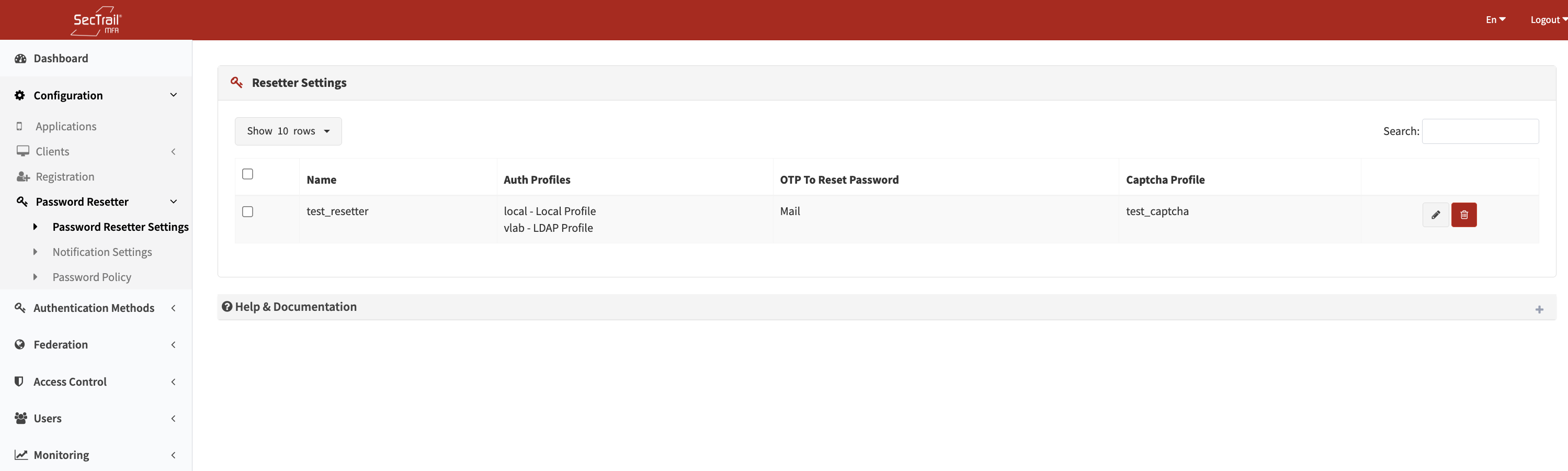
Password Resetter profile list
Each resetter profile is configured with:
| Field | Description |
|---|---|
| Auth Profiles | LDAP/Local profiles to search for the user (ordered). LDAP profiles require a secure (LDAPS) connection. |
| OTP Channel | SMS or Email |
| OTP Expiry | OTP code validity duration in seconds (default: 180) |
| OTP Text | Message template containing the <%TOKEN%> placeholder |
| Captcha | Captcha profile (optional) |
Multiple profiles can be created; however, the system always uses the first profile in the list.
Notification Settings
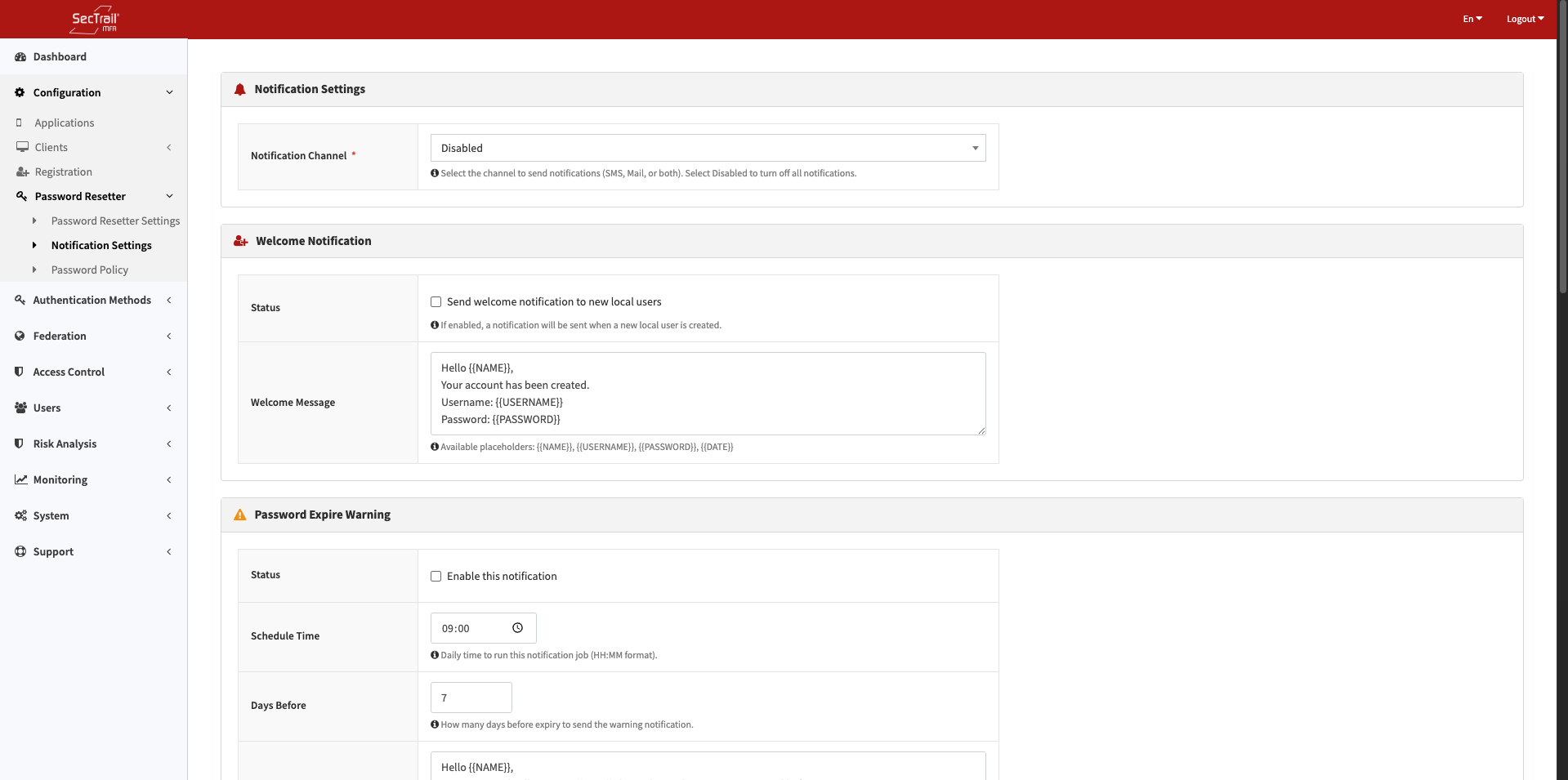
Automatic notification configuration for local users
Configured to send automatic notifications to local users:
- Channel: SMS, Email, Both, or Disabled
- Welcome Notification: Automatically sent when a new user is created
- Scheduled Notifications: Password/account expiry warnings run automatically on a daily schedule
| Notification | Trigger |
|---|---|
| Password Expiry Warning | X days before password expires |
| Password Expired | On the password expiry date |
| Account Expiry Warning | X days before account expires |
| Account Expired | On the account expiry date |
| Inactive Account | Account expired after 3 months since last login |
Notification messages support {{NAME}}, {{USERNAME}}, {{DATE}} placeholders. The Welcome notification additionally supports {{PASSWORD}}.
For detailed configuration see Notification Settings
Password Policy
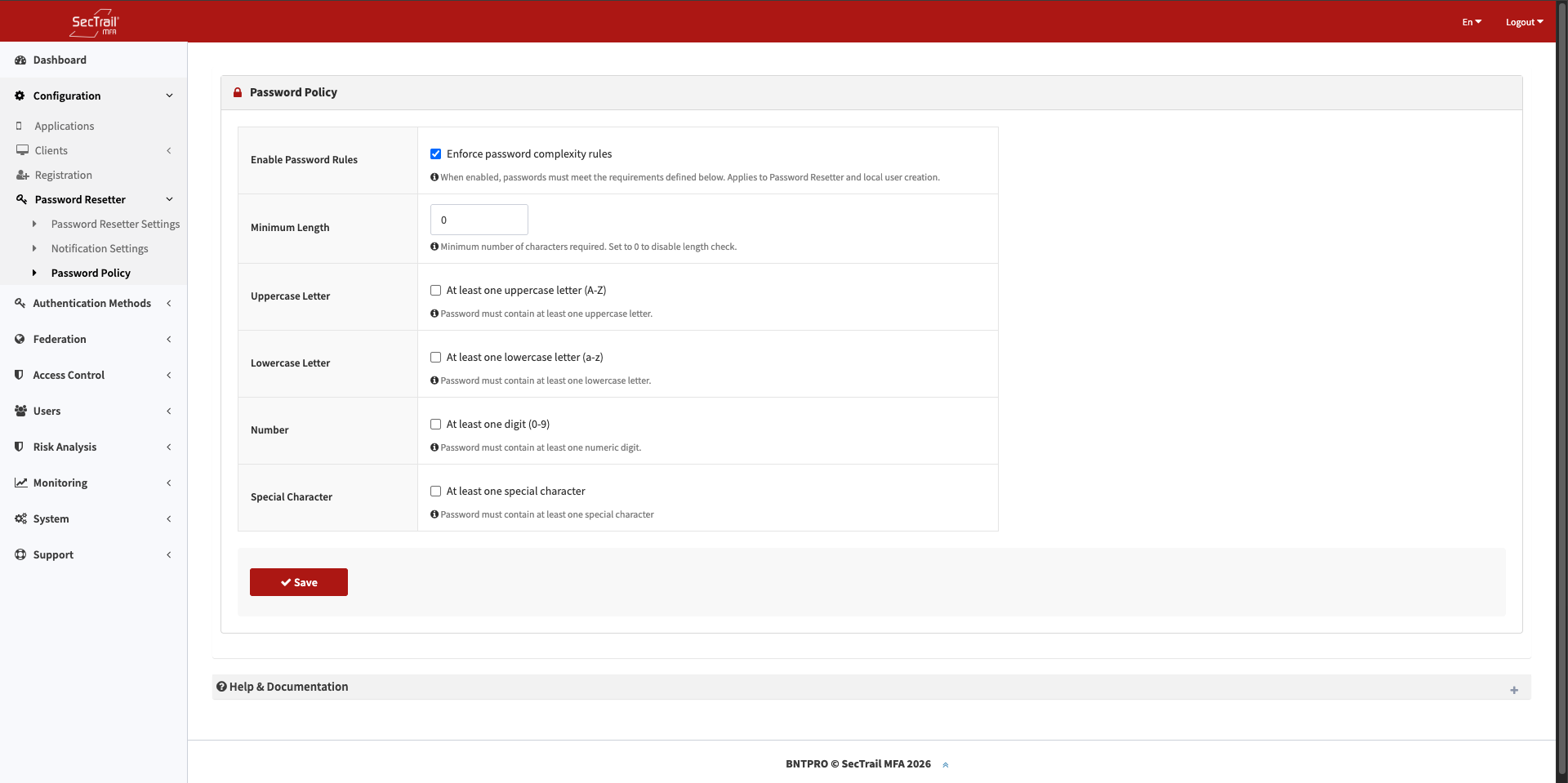
Password strength rules for local users
Password strength rules are defined for local users. For LDAP users, the password policy is managed by the LDAP server.
| Rule | Description |
|---|---|
| Minimum Length | Minimum number of characters required |
| Uppercase | At least one uppercase letter required |
| Lowercase | At least one lowercase letter required |
| Number | At least one digit required |
| Special Character | At least one special character required |
For detailed configuration see Password Policy
For user flows see Password Reset