Reply Message Policies
Reply Message Policies allow SecTrail MFA to include custom RADIUS attributes in the Access-Accept response sent to a NAS (Network Access Server) after a successful authentication. This is useful for passing user-specific data — such as group membership, VLAN assignment, or role name — back to the VPN gateway, firewall, or network device to control post-authentication access.
Reply Message Policies are configured per NAS client and evaluated in priority order at authentication time.
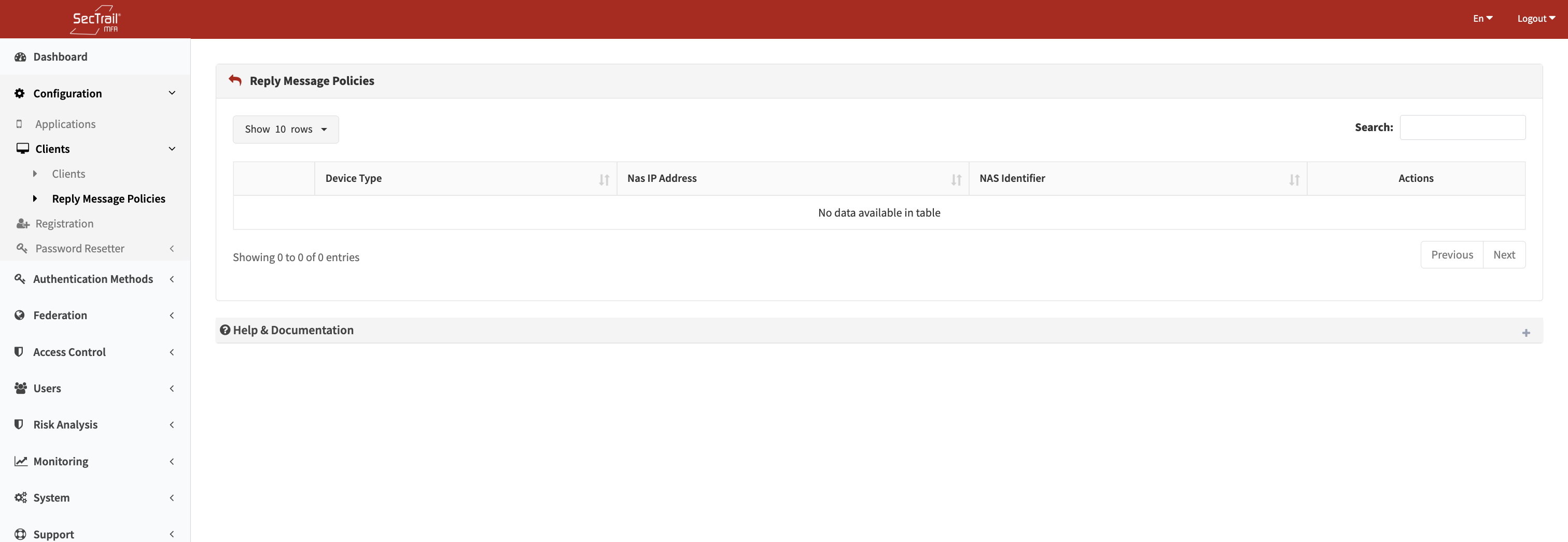
Reply Message Policies list — RADIUS reply rules per NAS client
How It Works
After SecTrail MFA successfully authenticates a user, the system evaluates the Reply Message Policies associated with the NAS client that sent the request. The first matching policy adds its configured RADIUS attribute to the Access-Accept reply.
Two policy modes are supported:
Static Mode
The system looks up the user's attribute value from an LDAP or Local profile and compares it to a configured condition value. If they match, a fixed configured value is inserted into the specified RADIUS reply attribute.
Example: If memberOf contains VPN-Admins, reply with Fortinet-Group-Name = "Admin".
Dynamic Mode
The system looks up a user attribute value and passes it directly as the RADIUS reply attribute value — no condition matching is performed.
Example: Always reply with Framed-IP-Address = <value of user's ipAddress LDAP attribute>.
Policy Fields
| Field | Description |
|---|---|
| NAS Client | The RADIUS/NAS client this policy applies to (set when creating from the NAS client's policy page) |
| Priority | Evaluation order — lower number = evaluated first |
| Mode | Static (condition match + fixed return value) or Dynamic (pass-through) |
| Auth Profile | The LDAP or Local profile used to look up the user's attributes |
| Attribute | The user attribute to check or read (LDAP: distinguishedName, sAMAccountName, memberOf, mail, displayName, userPrincipalName; Local: any user column) |
| Attribute Value | (Static only) The value the attribute must match for this policy to trigger |
| RADIUS Return Attribute | The RADIUS attribute name to include in the Access-Accept reply |
| Return Value | (Static only) The value to set for the RADIUS return attribute when the condition matches |
Supported RADIUS Return Attributes
The RADIUS attribute dropdown is populated per device type from the RADIUS attributes table. Commonly used attributes include:
Framed-IP-AddressReply-MessageCalled-Station-IdCalling-Station-IdNAS-IdentifierProxy-StateFortinet-Group-Name- Any attribute defined in the FreeRADIUS dictionary for your device type
Custom attribute names can also be entered manually — the system validates them against the FreeRADIUS dictionary before saving.
Priority and Ordering
Policies are evaluated in ascending priority order. Only the first matching policy for each NAS client is applied to the reply. Policies can be reordered via drag-and-drop on the policy list page. After reordering, click Save Order to persist the new sequence.
Use Cases
VLAN Assignment by Group
Scenario: A VPN gateway should assign users to different VLANs based on their AD group membership.
Setup (Static):
- Auth Profile: LDAP profile
- Attribute:
memberOf - Attribute Value:
VPN-Sales(group DN or substring) - RADIUS Return Attribute:
Tunnel-Private-Group-Id - Return Value:
100(VLAN ID)
Create a separate policy for each group/VLAN combination with appropriate priorities.
Role-Based Firewall Policy
Scenario: A Fortinet firewall should assign a firewall policy group name based on the user's AD group.
Setup (Static):
- Attribute:
memberOf - Attribute Value:
Fortinet-Admins - RADIUS Return Attribute:
Fortinet-Group-Name - Return Value:
Admin-Policy
Pass-Through IP Address
Scenario: Return the user's assigned IP address stored in an LDAP attribute.
Setup (Dynamic):
- Auth Profile: LDAP profile
- Attribute:
ipHostNumber(or your custom LDAP attribute) - RADIUS Return Attribute:
Framed-IP-Address
Setup Steps
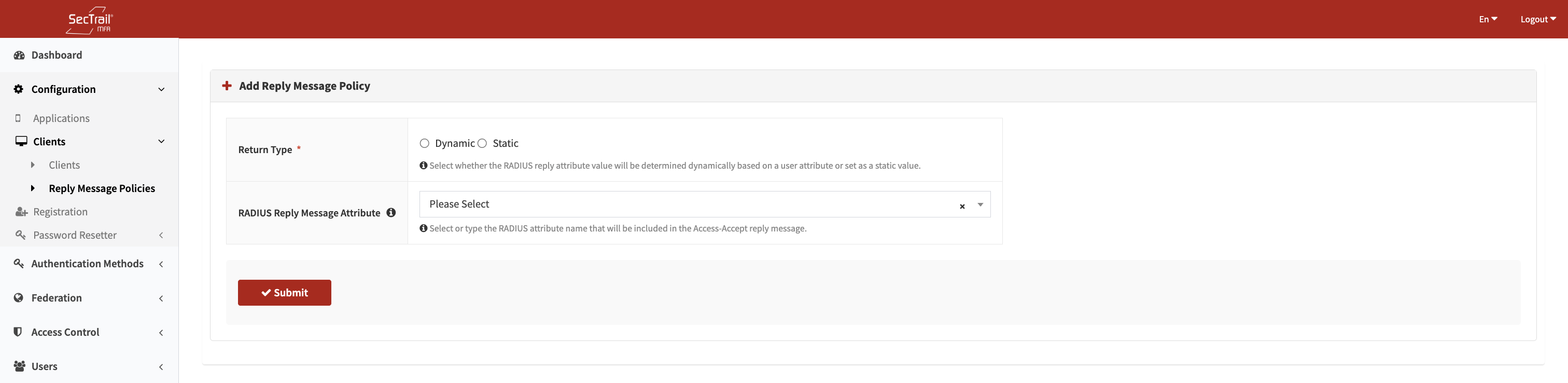
Create Reply Message Policy — mode, attribute, and RADIUS return value configuration
- Go to Configuration → RADIUS Clients (or Clients)
- Find the NAS client you want to configure
- Click Reply Message Policies on that client's row
- Click Create Policy
- Choose Static or Dynamic mode
- Select the auth profile to use for user attribute lookup
- Select the user attribute and (for Static) the condition value
- Select the RADIUS return attribute and (for Static) the return value
- Save
- Repeat for additional rules with different priority levels
- Use the drag-and-drop reorder to set the evaluation sequence
- Click Save Order to persist the priority changes
Important Considerations
- Only one policy applies per authentication — the first matching policy wins and no further policies are evaluated
- For Static mode, the attribute comparison is case-sensitive — ensure the condition value matches exactly what is stored in LDAP or the local profile
- The RADIUS return attribute is validated against the FreeRADIUS dictionary at save time. The attribute must be defined in the dictionary files under
/usr/share/freeradius/ - Reply Message Policies only affect Access-Accept packets (successful authentications). Failed authentications do not include custom reply attributes
- Dynamic mode has no condition — it always applies and always uses the attribute value from the user's profile. If the user's attribute is empty, the RADIUS attribute is not added to the reply
- Policies are scoped per NAS client — different NAS clients can have completely different reply message policies