Soft OTP (TOTP)
Soft OTP is a time-based one-time password (TOTP) authentication method that generates dynamic verification codes through mobile applications. It is compatible with SecTrail Authenticator, Microsoft Authenticator, and other TOTP-based apps.
What is Soft OTP?
Soft OTP profiles enable users to generate 6-digit dynamic verification codes through TOTP applications on their mobile devices. Since it does not require an internet connection, it is suitable for offline usage.
How It Works
Soft OTP is based on the RFC 6238 TOTP standard:
- A shared secret key is stored on both the server and the user's device
- The secret key combined with the current timestamp is used to generate a dynamic code
- Codes change every 30 seconds
- Accurate time synchronization between the server and user device is critical
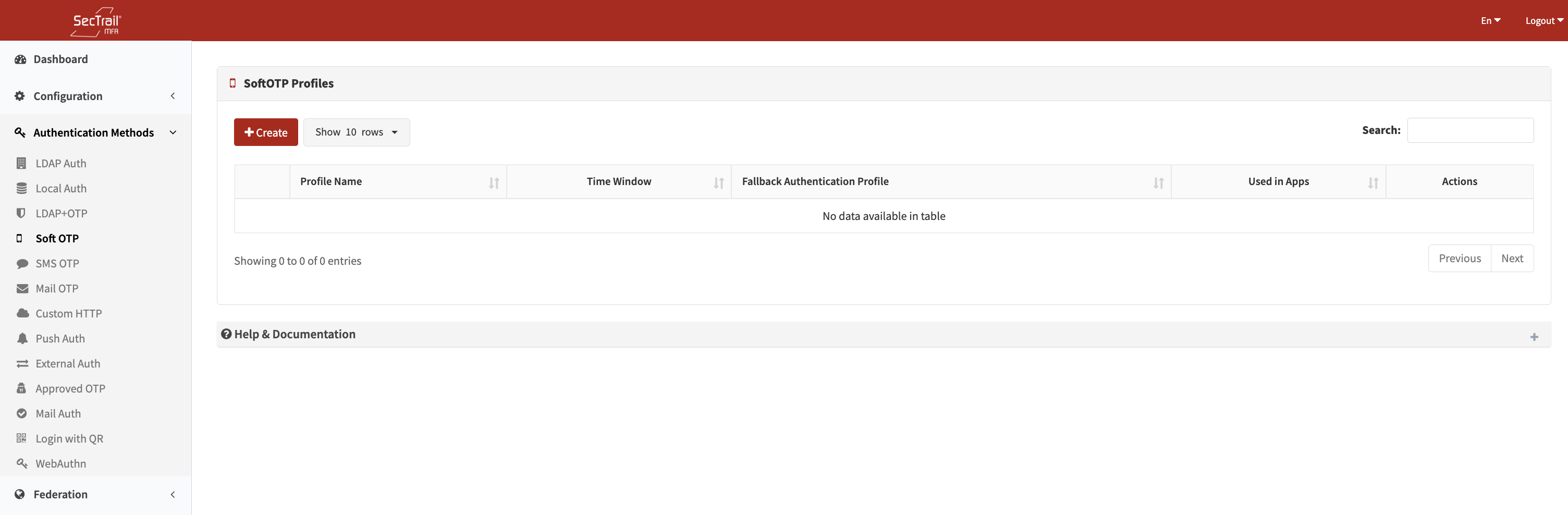
Soft OTP Authentication Method
Profiles
Soft OTP profiles define how users will authenticate using TOTP.
Profile Configuration Fields
- Profile Name: A descriptive name for the profile
- Fallback Auth Profiles: Profiles used for first-factor authentication (LDAP or Local)
- Multiple profiles can be selected
- Used to validate the user’s identity and retrieve user attributes
Soft OTP profiles must include at least one fallback authentication profile. These profiles are required to verify user identity and retrieve LDAP/Local attributes.
User Enrollment Process
Initial Setup (One-Time)
- Download the App: Install the SecTrail Authenticator Mobile app
- Access the Enrollment Panel: Log in to the Self-Service Portal
- Open the Enrollment URL: Navigate to the Soft OTP registration page
- Complete Verification: Authenticate yourself based on the configured method
- Scan the QR Code: Use the “Add Account” option in the app to scan the QR code
- Verify Enrollment: Enter the first generated code to confirm the registration
Users must complete the mobile application registration successfully in order to enroll with Soft OTP.
After Enrollment
Users can now authenticate using the 6-digit codes generated by the SecTrail Authenticator mobile application.
Soft OTP codes are time-based.
If the mobile device’s clock is incorrect, verification may fail.
Policies
Soft OTP policies determine which users will authenticate using which Soft OTP profile.
Policy Configuration Fields
- Soft OTP Profile: The Soft OTP profile to be used
- Authentication Profile: LDAP/Local profile used to retrieve user attributes
- Must match one of the fallback profiles defined in the Soft OTP profile
- Determines whether the user is in LDAP or Local
- Attribute: User attribute to be evaluated
- LDAP Attributes:
memberOf,department,title,mail, etc. - Local Attributes:
username,group_name,email,mobile, etc. - Common attributes are listed in the dropdown
- Custom attributes can be entered manually
- LDAP Attributes:
- Attribute Values: The value(s) to match
- Selectable from predefined options or entered manually
- Supports wildcard (*) and regex patterns
Policy Behavior
- No Policy: All users are routed to the default profile
- With Policies: Only users matching policy rules authenticate through the selected profile
- Priority: Policies are evaluated top to bottom; the first match is used
Use Cases
Scenario 1: Offline 2FA
Secure two-factor authentication even without internet access.
Scenario 2: Standards Compatibility
Full compatibility with any application supporting the TOTP standard.
Scenario 3: Secure Access
Resistant to phishing, SMS interception, and similar attacks.
Advantages
- ✅ Offline Capable: No internet connection required
- ✅ Universal Compatibility: Works with all TOTP applications
- ✅ Secure: Time-based algorithm with phishing resistance
- ✅ Cost-Effective: No SMS or token hardware cost