Push Notification
Push notification is a modern and user-friendly authentication method that allows users to authenticate with a single tap through notifications sent to their mobile devices.
What is Push Notification?
Push notification profiles enable real-time notifications to be sent to a user’s mobile device when they attempt to log in. Users can approve the notification to complete authentication—no password or OTP entry required. This provides a fast, seamless, and secure authentication experience.
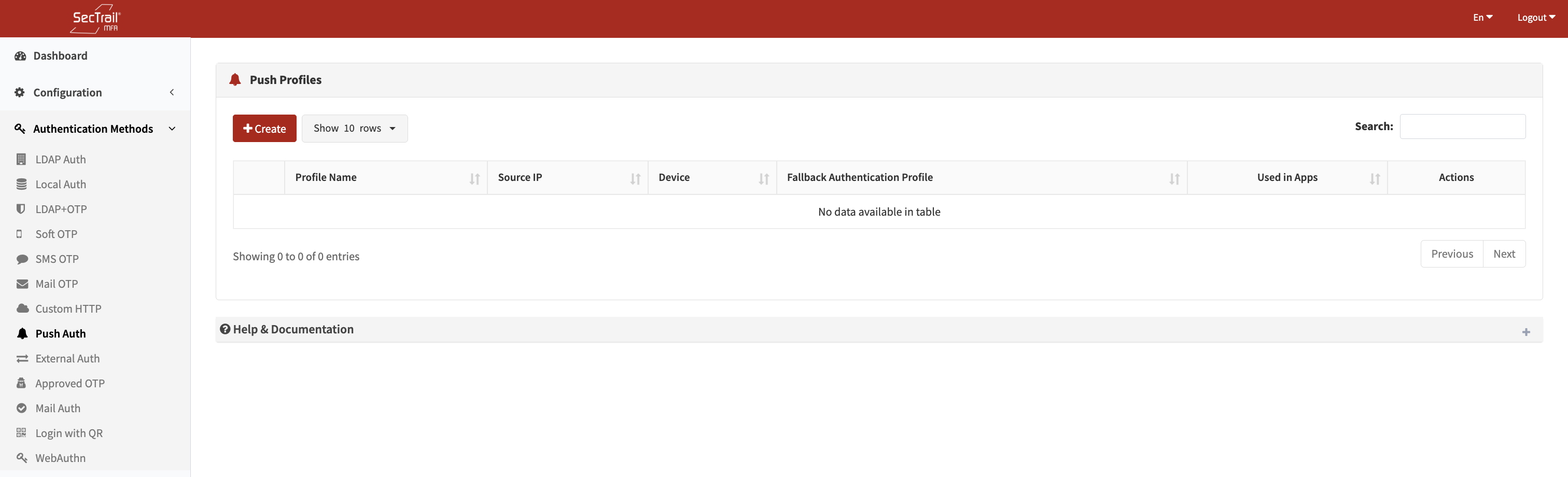
Push Notification Authentication Method
Profiles
Push notification profiles define how users will authenticate using real-time push notifications.
Profile Configuration Fields
- Profile Name: A descriptive name for the profile
- Fallback Auth Profiles: Authentication profiles used for the first factor (LDAP or Local)
- Used to validate the user’s identity and retrieve attributes
To use push notifications, the following network configuration must be completed:
Before Use:
- Outbound access to
cs.sectrail.commust be allowed - Port:
443(HTTPS) - Required for sending and receiving push notifications
Policies
Push notification policies determine which users will authenticate using which push profile.
Policy Configuration Fields
- Push Profile: The push notification profile to be used
- Authentication Profile: LDAP/Local profile used to retrieve user attributes
- Must be one of the fallback profiles of the push profile
- Attribute: The user attribute to match
- LDAP:
memberOf,department,title,mail, etc. - Local:
username,group_name,email,mobile, etc.
- LDAP:
- Attribute Value: Attribute value(s) to match
- Select from dropdown or enter manually
- Supports wildcard (*) and regex
Policy Behavior
- If No Policy Exists: All users are routed to the default profile
- If Policies Exist: Only users matching policy rules can authenticate with this profile
- Priority Order: Policies are evaluated top-to-bottom; the first match is used
Example:
Users in the IT department can be authenticated with push notifications, while all others use SMS OTP.
User Authentication Flow
Pre-Requirements
- Network Configuration: Outbound access to
cs.sectrail.com:443must be allowed - User Enrollment: Users must download the SecTrail Authenticator mobil app and complete QR-code registration
Authentication Steps
- One-Time Setup:
User downloads the SecTrail MFA Authenticator mobile app and registers via the Register Panel using a QR code - Login Attempt:
User enters their username when accessing a protected application - Push Notification:
The system sends a push notification to the user’s mobile device - Review & Approve:
The user views login details (time, IP, location, etc.) and approves or denies - Authentication Complete:
If approved, login is completed successfully
Push notifications typically reach the user within 1–2 seconds, depending on network conditions and device settings.
Use Cases
Scenario 1: User-Friendly 2FA
A seamless authentication experience with no password or OTP—just a single tap.
Scenario 2: Secure Corporate Access
Users can view login details before approval, preventing suspicious login attempts.
Scenario 3: Fast Authentication
Ideal for environments requiring quick and smooth transitions between desktop and mobile.
Setup Steps
- Network Configuration: Allow outbound access to
cs.sectrail.com:443in the firewall - Prepare Fallback Profile: Create LDAP or Local authentication profiles
- Create Push Profile: Configure the push notification profile and add fallback profiles
- Create Policies: Assign users to appropriate profiles using attribute-based policies
- User Enrollment: Ensure users install the mobile app and complete registration
- Application Integration: Add the push profile to the application profiles
Advantages
- ✅ User-Friendly: One-tap approval with no code entry
- ✅ High Security: Users review login details before approving
- ✅ Fast: Notifications typically delivered in 1–2 seconds
- ✅ Phishing Protection: Users can detect suspicious login attempts
- ✅ Biometric Support: Mobile app can be protected with device biometrics (fingerprint, face recognition)