SMS OTP
SMS OTP is a two-factor authentication method that delivers one-time passwords to users via SMS. It offers broad accessibility and easy user adoption.
What is SMS OTP?
SMS OTP profiles allow users to receive a 6-digit one-time password via SMS as a second-factor authentication method. It is a universal solution for any user with phone access.
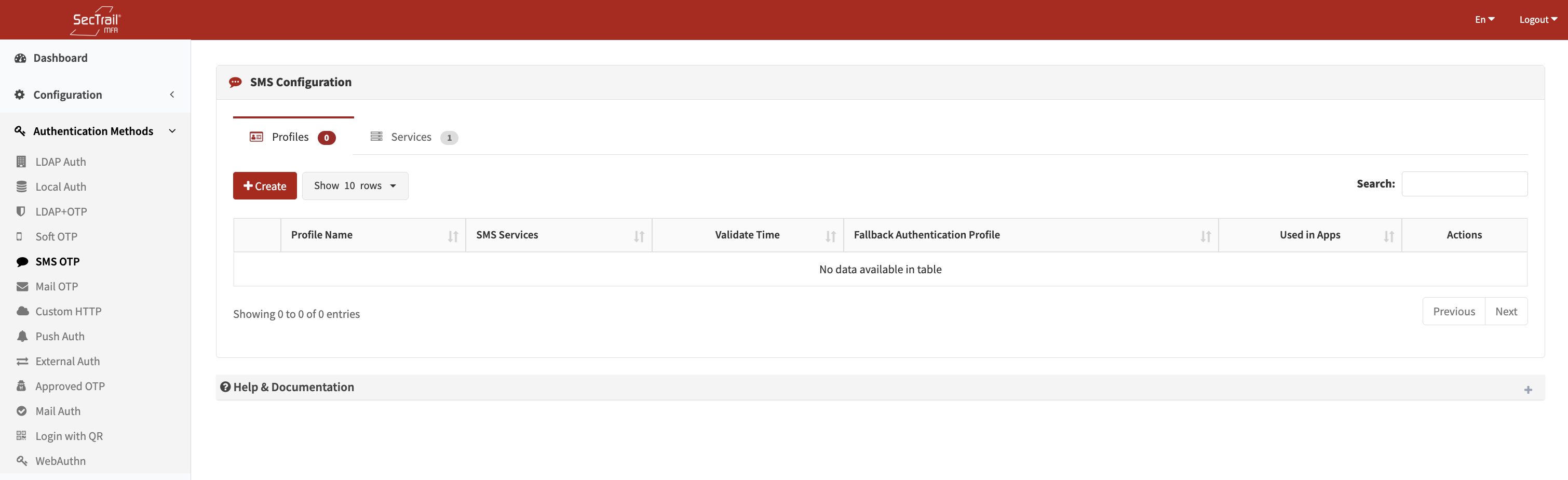
Sms OTP Authentication Method
Configuration Components
SMS OTP configuration is built on 3 main components:
1. SMS Services
External SMS provider configurations used to deliver SMS messages.
Configuration Fields:
- SMS Script Name: A descriptive name for the service
- URL: API endpoint of the SMS provider
- Request Method: HTTP method (GET, POST, Custom)
- Success Detection: Value or pattern in the API response indicating successful delivery
- Authentication: API key or token details
- Parameters: Phone number, message content, and additional parameters
Supported Methods:
- HTTP GET/POST requests
- Custom script files
- Multiple SMS provider support
- International phone number formats
2. SMS Profiles
Defines how OTP messages will be sent to users.
Profile Configuration Fields:
- Profile Name: A descriptive name for the SMS profile
- Fallback Auth Profiles: First-factor authentication profiles (LDAP or Local)
- Used to retrieve the user’s phone number
- SMS Services: One or more SMS services
- Multiple providers can be added for failover
- Validate Time: Validity duration of the OTP code (in minutes)
3. SMS Policies
Determines which users authenticate with which SMS OTP profile.
Policy Configuration Fields:
- SMS Profile: SMS OTP profile to be used
- Authentication Profile: LDAP/Local authentication profile used to retrieve user attributes
- Must match one of the fallback profiles defined in the SMS profile
- Retrieves the user’s phone number
- Attribute: User attribute to evaluate
- LDAP Attributes:
memberOf,department,title,mail,mobile, etc. - Local Attributes:
username,group_name,email,mobile, etc.
- LDAP Attributes:
- Attribute Value: Value(s) to match
- Dropdown selection or manual input
- Supports wildcard (*) and regex patterns
User Authentication Flow
- User Login: User logs in with username and password (fallback authentication)
- Phone Number Lookup: The system retrieves the phone number from the user's LDAP/Local profile
- SMS Delivery: A 6-digit OTP code is sent to the user through the configured SMS service
- Code Entry: The user enters the received OTP code
- Verification: The system validates the code (within the configured validate time)
- Access Control: If the code is correct, access is granted
- LDAP Users: Must have a valid phone attribute (commonly
mobileortelephoneNumber) - Local Users: Must have a mobile number stored in the local user record
- International number format is recommended:
+90xxxxxxxxxx
Policy Behavior
- No Policy: All users are routed to the default SMS profile
- With Policies: Only users matching policy conditions authenticate with the selected profile
- Priority: Policies are evaluated top to bottom; the first matching policy is applied
Use Cases
Scenario 1: Universal 2FA
Ideal for environments where all users have mobile phone access.
Scenario 2: External Users
Suitable for guest or external users who do not want to install a mobile app.
Scenario 3: Fast Onboarding
Provides quick onboarding without requiring additional applications.
Setup Steps
- Choose an SMS Provider: Select an SMS API provider (Twilio, Vonage, local providers, etc.)
- Create SMS Service: Configure the provider details
- Test SMS Delivery: Use the “Test SMS” button to verify the service
- Prepare Fallback Profile: Create an LDAP or Local authentication profile
- Create SMS Profile: Add the SMS service and fallback profile
- Create Policies: Route users to the correct profile through policies
- Verify Phone Numbers: Ensure all users have valid phone numbers
- Application Integration: Attach the SMS profile to application profiles
Advantages
- ✅ Universal Access: Works for any user with a mobile phone
- ✅ Easy Adoption: No additional application required
- ✅ Widely Accepted: Users are already familiar with SMS OTP
- ✅ Multi-Provider Support: Failover capability with multiple SMS services
Important Considerations
- SMS delivery incurs cost depending on the provider
- Delivery times may vary (typically 1–30 seconds)
- Phone numbers must be accurate and well-formatted
- Additional methods should be offered against SMS interception attacks
- Validate time should not be too long (recommended: 5–10 minutes)
Technical Details
- OTP Length: 6-digit numeric code
- Default Validity: 5 minutes (configurable)
- Encoding: UTF-8 support (including Turkish characters)
- Rate Limiting: Automatic throttling to prevent SMS spam
- Retry Mechanism: Failover using multiple SMS providers