External Auth
External Auth is an authentication method that integrates SecTrail MFA with any external authentication system via HTTP. When a user reaches an External Auth factor, SecTrail sends an outbound HTTP request to a configured external service (mobile push gateway, IVR system, or custom API). The external service notifies the user — via app push, phone call, or any other channel — and either responds immediately with an approve/reject signal, or SecTrail polls for the result, or the external service posts the result back to SecTrail.
Unlike OTP methods, the user does not type a code. The approval happens entirely through the external system.
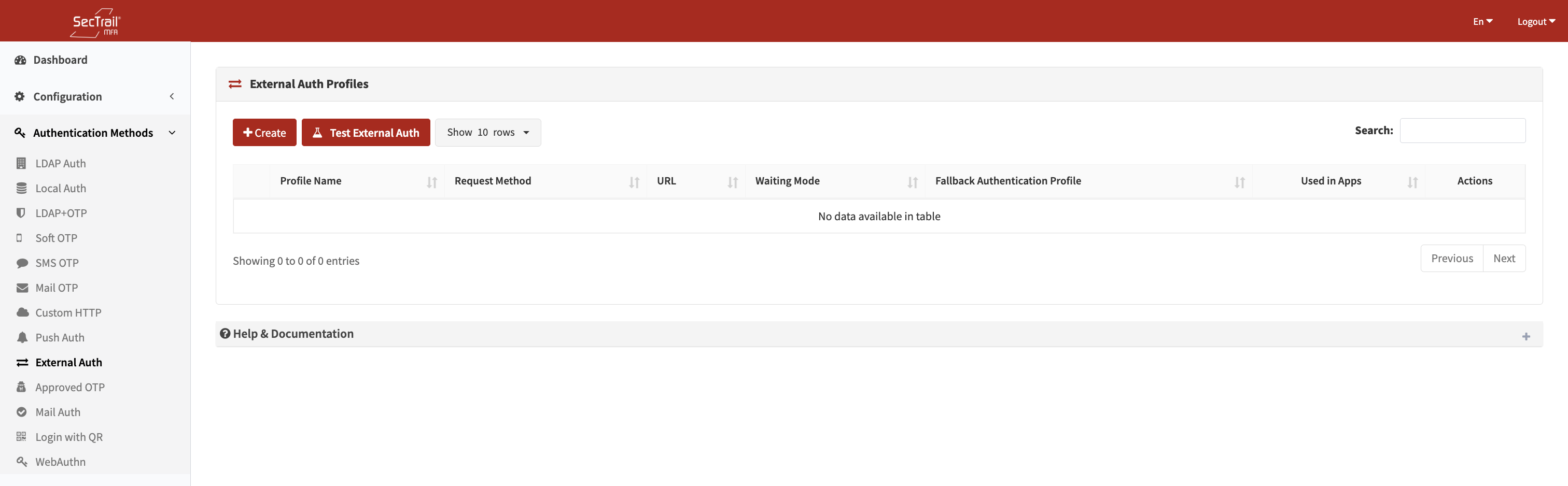
External Auth profile list
How It Works
- The user authenticates with factor 1 (primary credential).
- When the External Auth factor is reached, SecTrail looks up the user in the configured sub-auth profiles to retrieve their attributes (phone number, email, employee ID, etc.).
- SecTrail sends an outbound HTTP request to the external service, filling in
{{placeholder}}tokens with the user's resolved attributes. - Depending on the configured Waiting Mode:
- None: The initial HTTP response is evaluated immediately for approve/reject.
- Result Query (Polling): SecTrail sends repeated polling requests to a secondary URL until it receives an approve/reject answer or times out.
- Callback: SecTrail waits for the external service to post the result to SecTrail's dedicated callback endpoint.
- On approval, the factor is marked authenticated and the user proceeds.
- On rejection or timeout, the session fails.
Profile Configuration
Basic Settings
| Field | Description |
|---|---|
| Profile Name | Unique display name for this profile |
| Request Method | GET, POST, or CUSTOM (PHP script) |
| URL | Endpoint URL of the external service (GET/POST modes) |
| Headers | HTTP headers to include with the request (one per line: Header-Name: value) |
| Fallback Auth Profiles | Ordered list of LDAP and/or Local profiles used to look up the authenticating user. The first profile that finds the user is used. |
| Timeout | Request timeout in seconds (5–120, default: 30) |
GET Mode
| Field | Description |
|---|---|
| Parameters | Key-value query string parameters. Values may contain {{placeholder}} tokens. |
POST Mode
| Field | Description |
|---|---|
| Body Template | Raw request body (typically JSON). May contain {{placeholder}} tokens. |
| Response Type | json, text, or xml — determines how the response is parsed |
| Success Condition Path | JSON dot-notation path, XPath, or text match — points to the field to evaluate |
| Success Condition Value | The value that field must equal for the request to be considered approved |
CUSTOM Mode (PHP Script)
| Field | Description |
|---|---|
| Custom Script | Filename of a PHP script stored in storage/app/custom/. The file must define a externalauth($params) function that returns 1 (approve), 0 (reject), or 2 (error). |
| Parameters | Named parameters expected by the script. Used in the Test interface to prompt for values. |
Placeholder Tokens
Both the body template and GET parameter values support {{token}} placeholders resolved at authentication time:
| Token | Value |
|---|---|
{{username}} | Authenticating username |
{{ip}} | Client IP address |
{{nas}} | NAS identifier |
{{nas_ip}} | NAS IP address |
{{uuid}} | A newly generated UUID (same value used across initial and polling requests for correlation) |
{{session_id}} | A session-derived display ID (ST-xxxx format) shared across initial and polling requests |
{{host}} | Scheme + host extracted from the main URL (useful in polling URL: {{host}}/poll) |
{{any_user_attribute}} | Any attribute resolved from the fallback auth profiles (e.g. {{mobile}}, {{mail}}, {{employeeid}}, {{samaccountname}}) |
Fallback syntax: {{field1|field2|field3}} — the first non-empty resolved value is used.
Turkish phone normalization: If a resolved value is a Turkish mobile number with a +90 or 90 prefix, it is automatically normalized to local 05xxxxxxxxx format.
Waiting Mode
After the initial request is sent, configure how SecTrail waits for the user's response:
None (default)
The HTTP response to the initial request is evaluated immediately. The success/failure is determined by the response body matching the configured success condition.
Best for synchronous APIs that return an immediate approve/reject.
Result Query (Polling)
SecTrail polls a secondary URL at a regular interval until it receives an approve or reject signal, or the polling timeout is reached.
| Field | Description |
|---|---|
| Polling URL | URL to poll. Supports {{host}} to inherit the scheme/host from the main URL. Supports all placeholder tokens. |
| Polling Method | GET or POST |
| Polling Headers | Optional separate headers for polling requests |
| Polling Parameters / Body | Query params (GET) or body template (POST) for polling requests |
| Polling Success Path | JSON/XML path to inspect in the polling response |
| Polling Success Value | Value that means "approved" |
| Polling Reject Values | Comma-separated values that mean "rejected" (e.g. REJECT,CANCEL,TIMEOUT) |
Best for asynchronous push gateways that require polling for the user's response.
Callback
SecTrail sends the initial push and then waits for the external system to call back to SecTrail's dedicated callback endpoint. SecTrail polls its own session store until the callback arrives or the timeout is reached.
| Field | Description |
|---|---|
| Callback GSM Field | The JSON field name in the outbound request body containing the user's phone number (used to extract it from the sent body for session correlation) |
| Callback Phone Payload Field | The field name the external service includes in the callback to identify the user |
| Callback Username | Username the external service authenticates with when calling the callback endpoint |
| Callback Password | Password for the callback endpoint (minimum 8 characters) |
| Polling Success Path | The path in the session data where the callback result is stored |
| Polling Success Value | The value that means "approved" |
Best for IVR (Interactive Voice Response) systems or reverse-push gateways.
Policy Configuration
A policy maps an External Auth profile to a subset of users based on their profile attribute.
| Field | Description |
|---|---|
| External Auth Profile | The profile this policy applies to |
| Authentication Profile | One of the LDAP or Local profiles already attached to that External Auth profile |
| Attribute | The user attribute to match |
| Attribute Value | The required attribute value for this policy to apply |
Policies are evaluated in priority order and can be reordered via drag-and-drop.
Test Interface
The test page allows administrators to send a live request to any External Auth profile directly from the admin panel — without triggering a full authentication flow.
- Select an External Auth profile
- The system loads the placeholder names defined in the profile's body/parameters
- Fill in test values for each placeholder (e.g. a real phone number, username)
- Click Test — SecTrail sends the actual HTTP request with the provided values
- The result (HTTP status, response body excerpt, pass/fail) is displayed
Note: The test only fires the initial request. Polling and callback waits are not simulated in the test.
Use Case
External Auth allows users to be authenticated through an external application defined outside of SecTrail MFA. SecTrail forwards the authentication request to that application; the integration mode depends on how the external application reports the result:
Immediate Response (Waiting Mode: None)
SecTrail sends the authentication request to the external application and treats the HTTP response itself as the result. The external application processes the request and returns an approve or reject decision directly in the response body.
External Application Reports the Result to SecTrail (Callback Mode)
SecTrail sends the authentication request and waits. The external application reaches the user through its own channel (e.g. push notification, SMS, phone call); once the user confirms, the external application posts the result to a dedicated SecTrail endpoint via HTTP callback.
SecTrail Polls the External Application for the Result (Polling Mode)
SecTrail sends the authentication request, then periodically queries a separate endpoint on the external application to check whether a result is ready. The external application returns the result on that endpoint once the user has completed the action.
The appropriate mode is determined by how the external application reports its result back — configure the profile accordingly.
Setup Steps
- Go to Authentication Methods → External Auth → Profiles
- Click Create Profile
- Select the request method (GET, POST, or Custom)
- Enter the endpoint URL and configure headers
- Add fallback auth profiles in the order the system should search for user attributes
- Configure body/parameters with
{{placeholder}}tokens - Configure success condition (response path and value)
- Set the waiting mode (None, Polling, or Callback) and fill in the related fields
- Save the profile
- Go to Authentication Methods → External Auth → Policies and create a policy
- Assign the policy to an application factor in Configuration → Applications
- Use the Test page to verify the integration before going live
Important Considerations
- The user does not interact with SecTrail during an External Auth factor — the entire approval flow happens in the external system
- If the fallback auth profile cannot find the user, the method is skipped (if other methods exist on the factor) or fails immediately
- Polling and callback timeouts are controlled by the
EXTERNAL_AUTH_POLLING_TIMEOUTenvironment variable (default: 60 seconds) - For CUSTOM scripts, the file must be readable by the web server process and must define the
externalauth($params)function - Callback credentials (username/password) should be strong and unique — the callback endpoint is publicly accessible