SNMP Configuration
SecTrail CM can forward certificate alarms as SNMP traps to an external SNMP server. SNMP profiles can be created and managed under System > SNMP.

The list displays the Name, IP, and Port information of defined profiles.
Creating a New SNMP Profile
Click the + Create button to add a new SNMP profile:
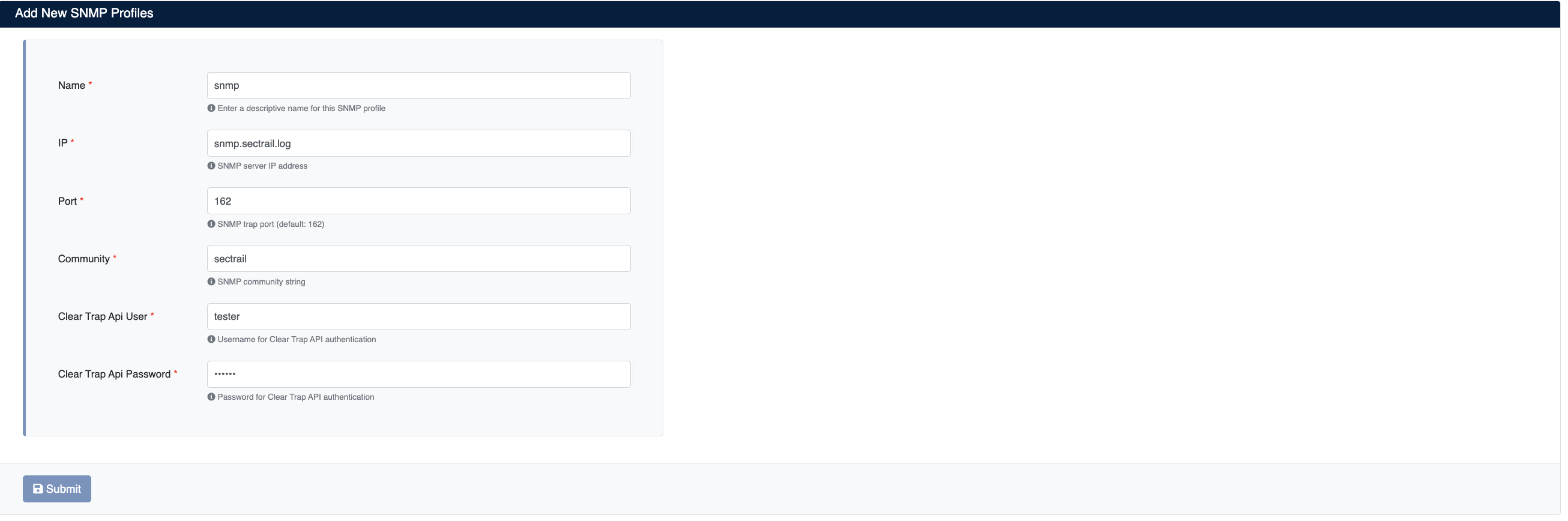
- Name: A descriptive name for the SNMP profile
- IP: IP address or hostname of the SNMP trap receiver
- Port: SNMP trap port (default:
162) - Community: SNMP community string (e.g.
sectrail) - Clear Trap Api User: Username for Clear Trap API authentication
- Clear Trap Api Password: Password for Clear Trap API authentication
info
Once a profile is created, when certificate alarms are triggered, the corresponding SNMP traps are automatically forwarded to the configured server.