🔗 System Integrations
You can manage the configurations and deployment operations of system applications you want to integrate with SecTrail CM from this section. Supported systems:
- F5 BIG-IP · Citrix NetScaler · FortiWeb · FortiGate · FortiManager
- NGINX / NGINX Plus · Palo Alto Networks · PaloAlto Panorama
- Apache · IIS · Apache Tomcat
- Windows TrustStore · Java Keystore (JKS) · Azure Key Vault
- IBM DataPower · HashiCorp Vault
You can access general configuration steps for all system integrations from the Integrations → System page.
Devices on networks the CM cannot reach directly can be managed by selecting a Distributed Discovery Agent (DDA) in the device definition. See Devices on Remote Networks (DDA) for details.
Devices
The configurations of system applications you want to integrate are listed on the Automation → Devices page.
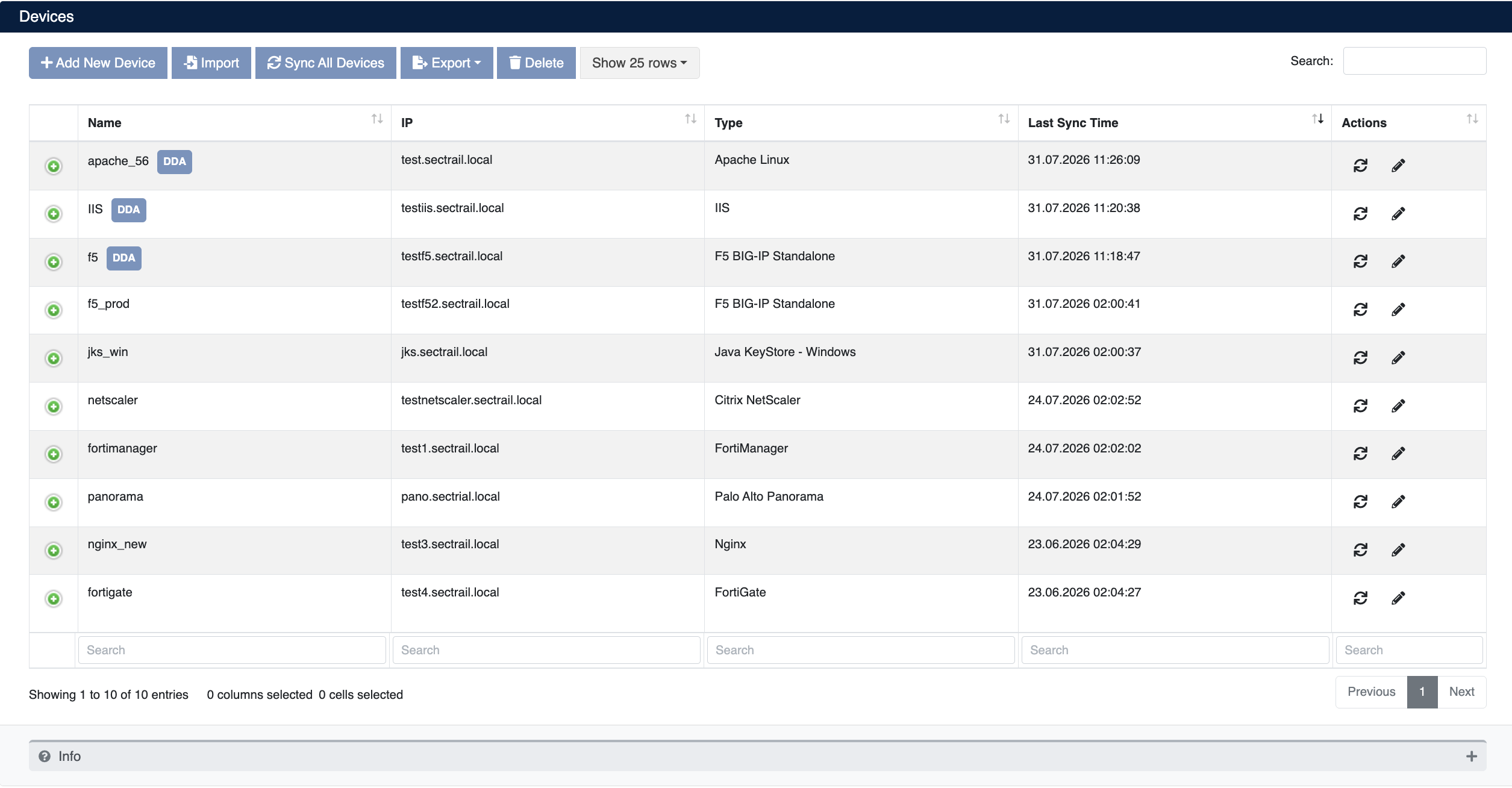
Defined Device List
You can add a new device configuration by clicking the Create button.
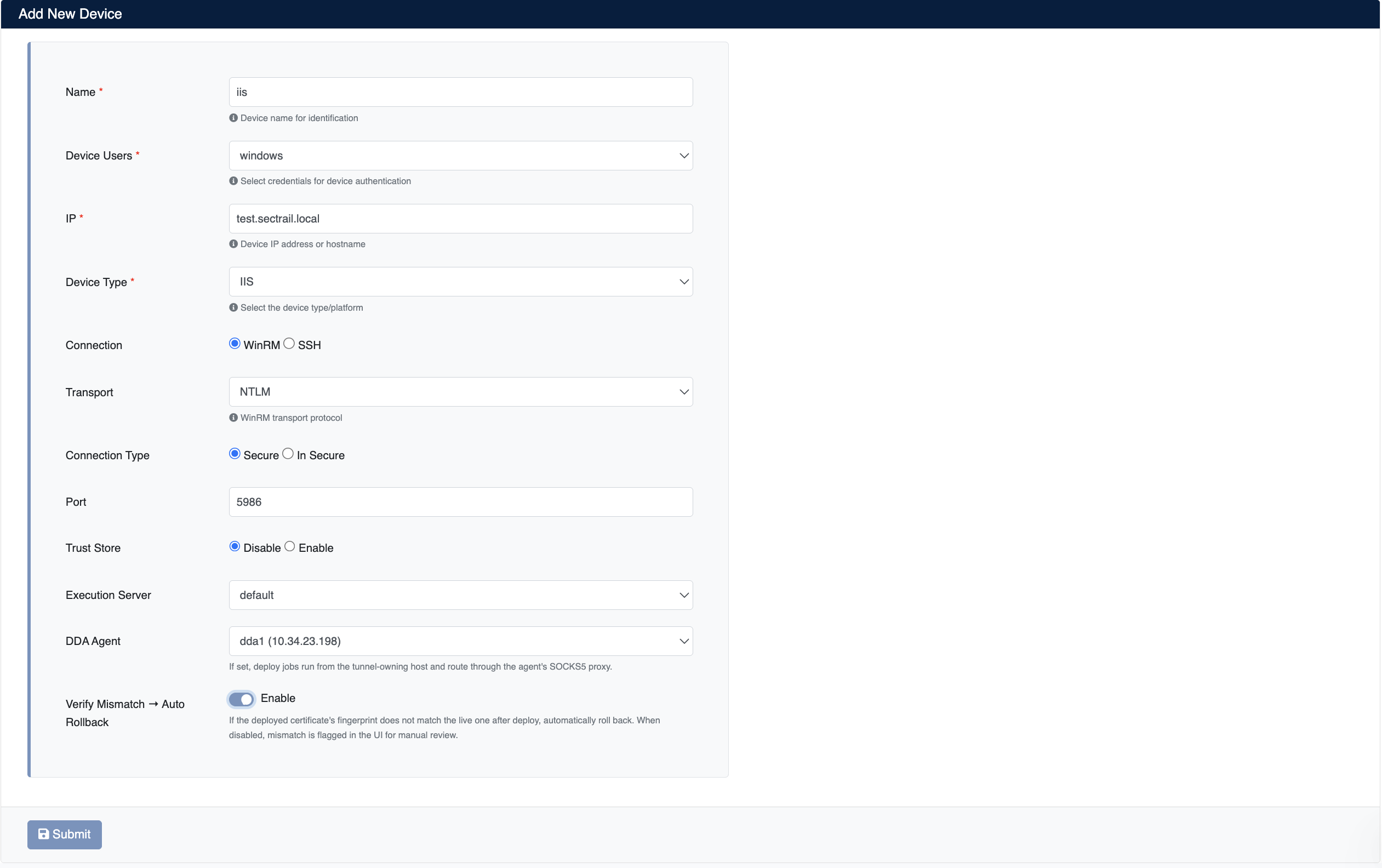
New Device Configuration Form
Devices on Remote Networks (DDA)
Devices on a network the CM server cannot reach directly can be managed through a Distributed Discovery Agent (DDA) deployed on that network.
Simply select the relevant agent in the DDA Agent field on the device form:
| Value | Behavior |
|---|---|
| Empty / Not Set | The connection is made directly from the CM server (or the selected Execution Server) |
| A DDA agent | Deploy jobs run from the tunnel-owning host and the connection is routed through the agent's SOCKS5 proxy |
In the device's IP field, enter the target device's IP address or hostname within the remote network — not an address reachable from CM.
Devices with a DDA agent assigned are marked with a DDA badge next to their name in the Devices list.
- The SOCKS5 Proxy option must be enabled in the selected agent's definition; otherwise the connection cannot be routed.
- The agent's tunnel status must be Connected. Deployments started while the tunnel is down will fail.
- The connection originates from the agent's network, not from the CM server. Access rules on the target device (firewalls, allow-lists, management-interface restrictions) must permit the agent's IP address.
For agent installation, enabling the SOCKS5 proxy, and tunnel management, see the Distributed Discovery Agents (DDA) page.
Deployment Verification and Auto Rollback
After a certificate deployment completes, SecTrail CM reads the certificate the target device is actually serving and compares its fingerprint against the deployed one. This confirms not only that the deployment finished without errors, but that the device is genuinely serving the new certificate.
The Verify Mismatch → Auto Rollback toggle on the device form determines what happens when the fingerprints do not match:
| Value | Behavior |
|---|---|
| Enable | On a mismatch, the deployment is rolled back automatically; the device keeps running with its previous certificate |
| Disable | No rollback is performed; the mismatch is flagged in the UI and left for your manual review |
The verification result appears in the Status column on the Automation → Process page:
| Display | Meaning |
|---|---|
| Completed · ✓ Verified | Deployment completed and the certificate served by the device was verified |
| Completed · ⏳ Pending | Deployment completed, verification has not run yet |
| Manual-Rollback · ⚠ Unavailable | The live certificate could not be read, so verification could not be performed |
This setting applies only to post-deployment verification. If an error occurs at any step of the deployment itself, the system already performs an automatic rollback regardless of this toggle.
If you want to roll back a deployment later even though verification succeeded, select the operation on the Automation → Process page and use the Rollback action. For device-specific rollback steps, see the relevant integration page.
Process
From the Automation → Process section, all operations performed on devices (certificate deployment, etc.) can be viewed in detail. The Status column shows the post-deployment verification state alongside the operation's result — see Deployment Verification and Auto Rollback.
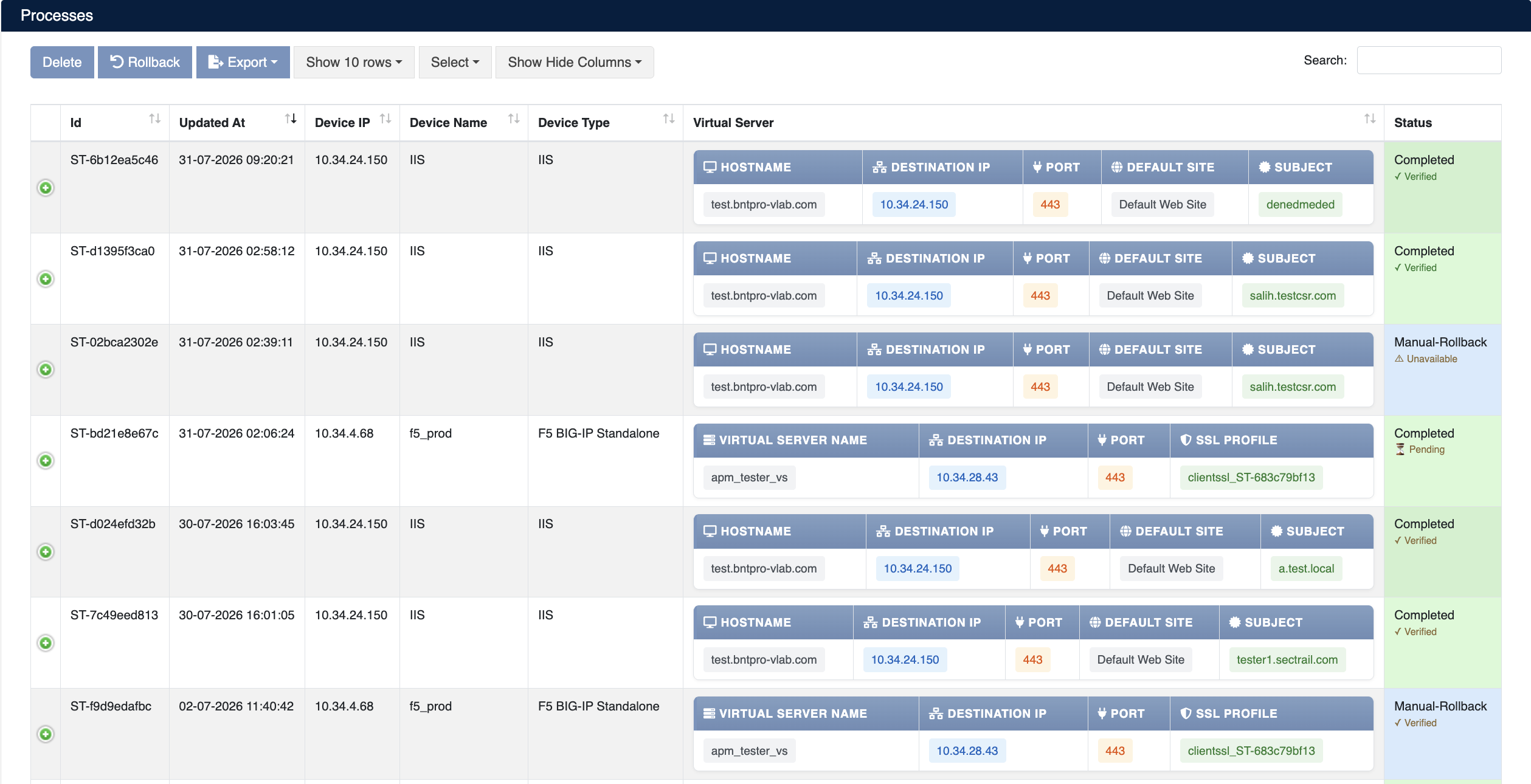
Process History - All Device Operations
Device Users
From the Automation → Device Users section, you can create user definitions to be used in device connections.
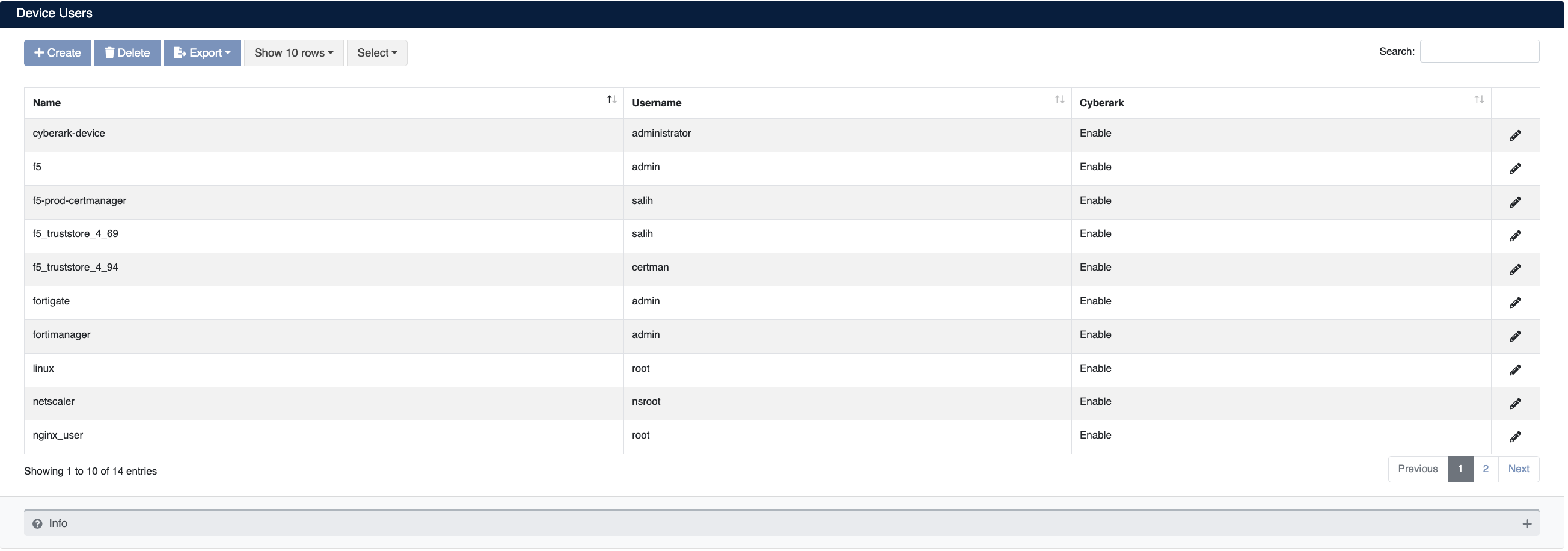
Device Users List
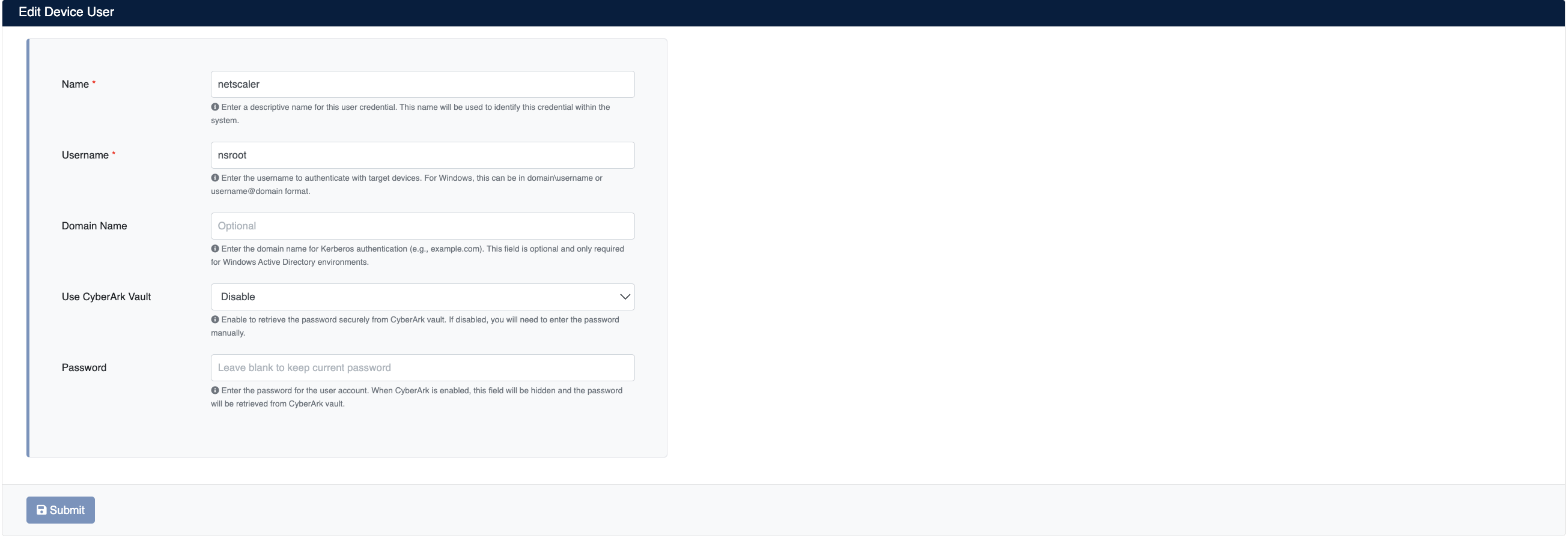
Create New Device User
Service Deployment
From the Automation → Deployments → Service Deployments page, you can initiate an instant certificate deployment to selected devices.
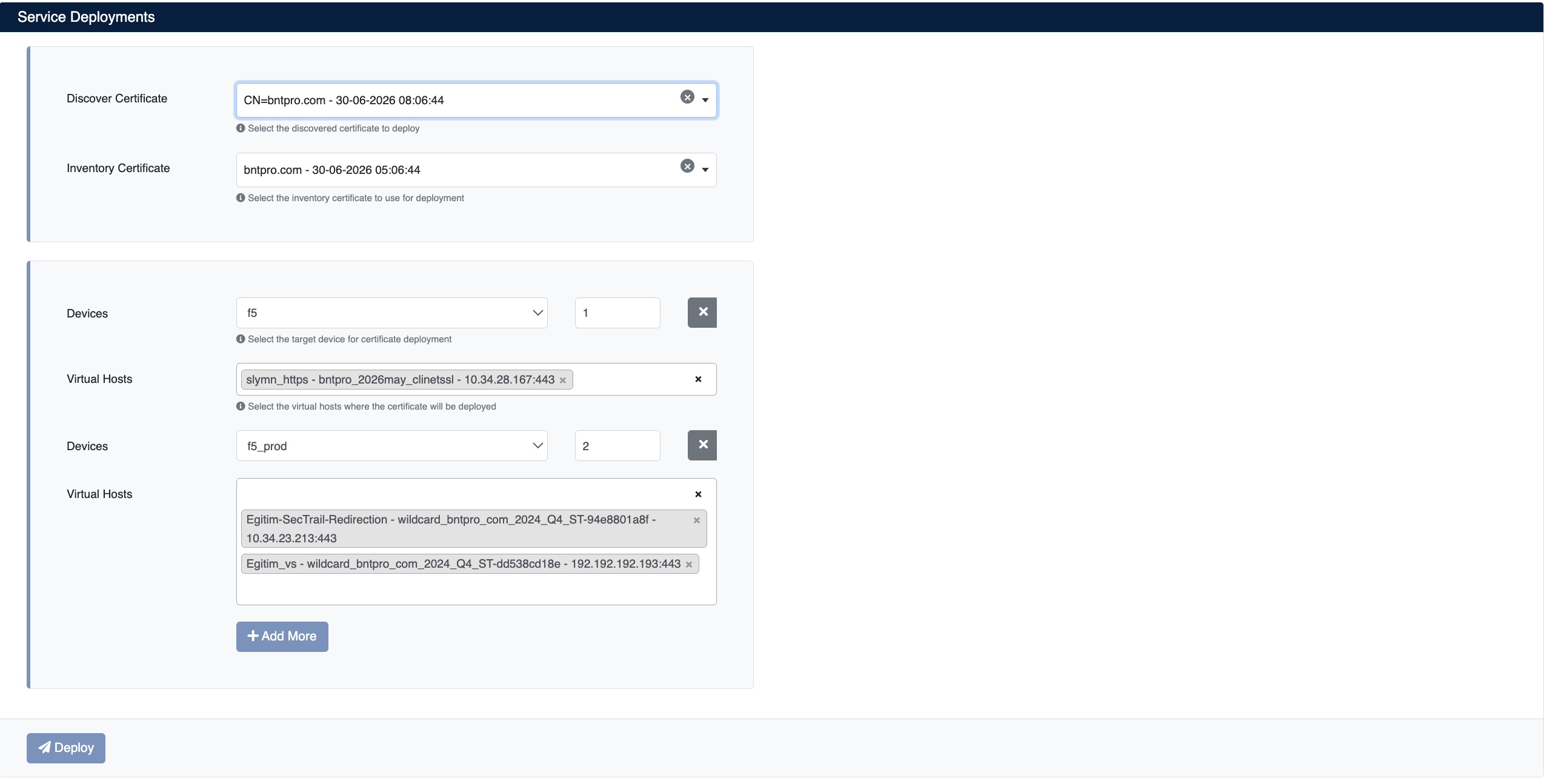
Instant Service Certificate Deployment
TrustStore Deployment
From the Automation → Deployments → TrustStore Deployments page, you can initiate an instant TrustStore deployment to selected devices.
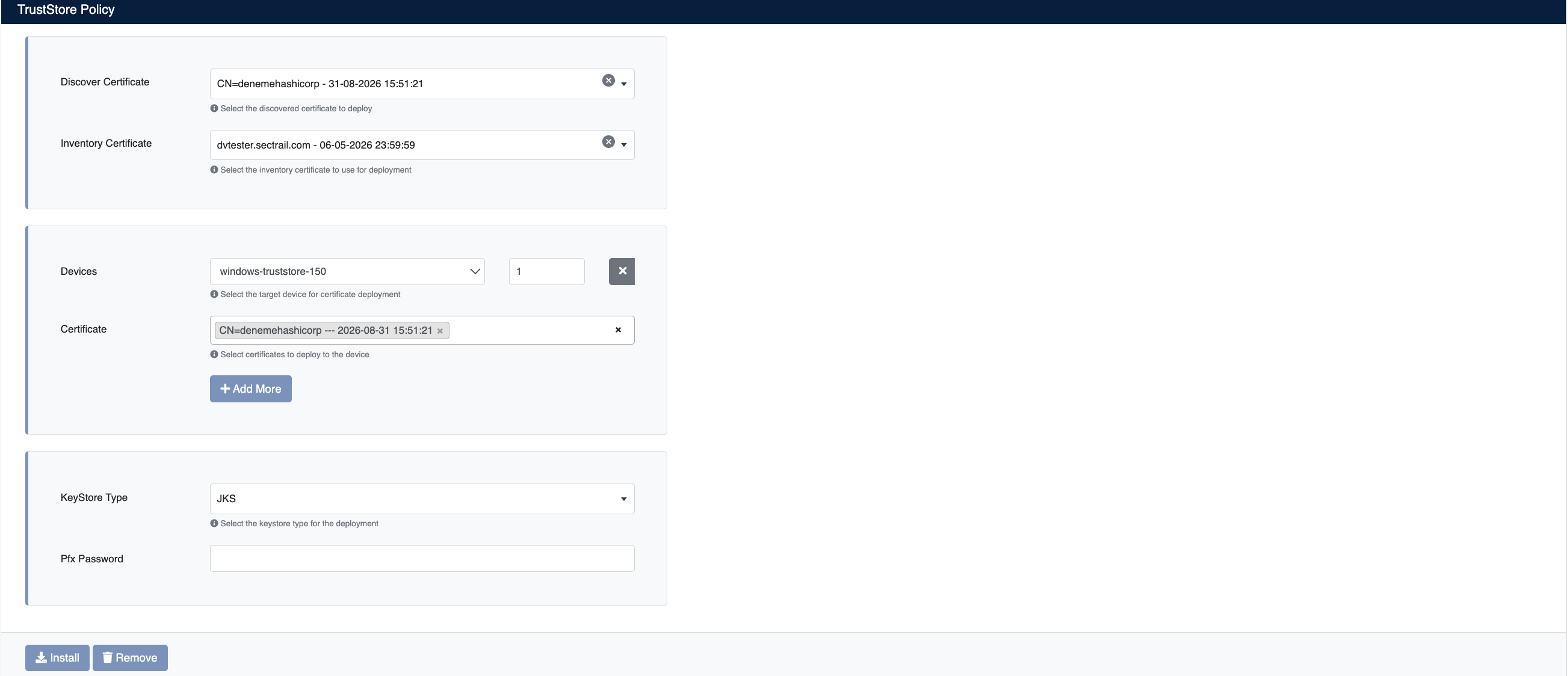
Instant TrustStore Deployment