Certificate Based Alert Rules
SecTrail CM allows you to define customized alarm and notification rules based on the certificate subject or IP address. You can access these rules from Monitoring → Alert Rules → Certificate Based.
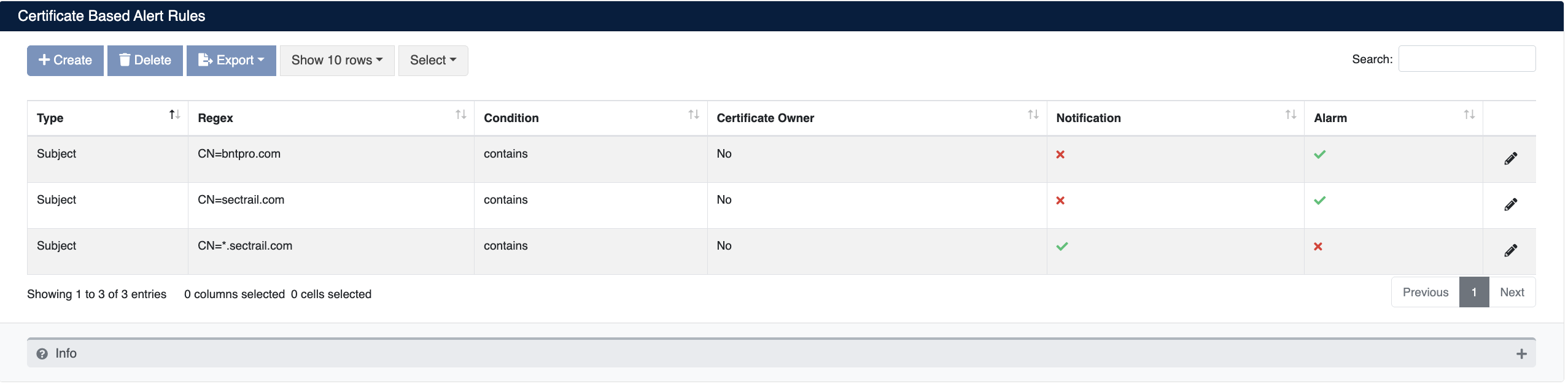
The list displays Type, Regex, Condition, Certificate Owner, Notification, and Alarm columns for each defined rule.
Creating a New Rule
Click the + Create button to add a new certificate based alert rule:
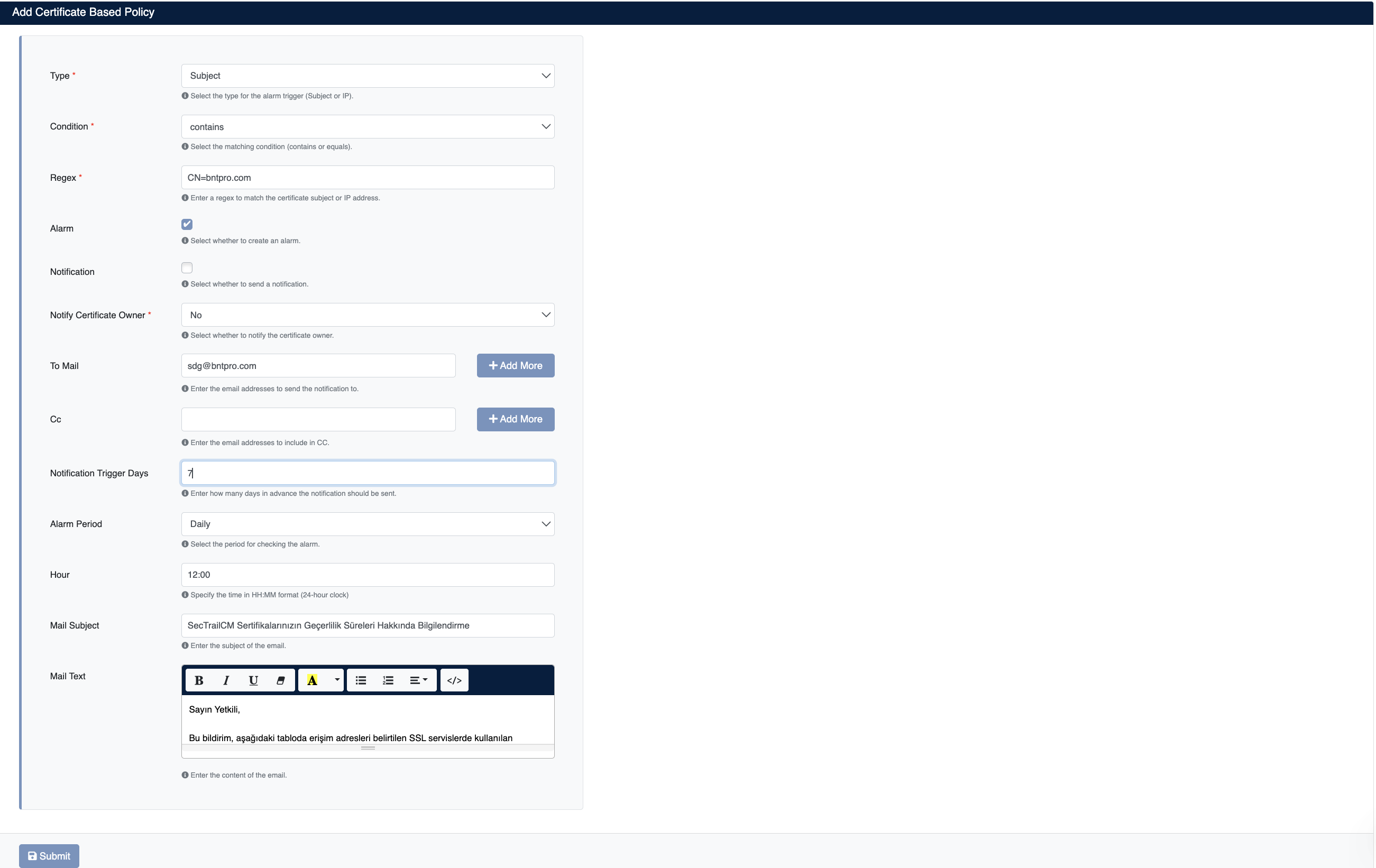
- Type: Select the alarm trigger type (
SubjectorIP) - Condition: Select the matching condition (
containsorequals) - Regex: Enter the expression to match against the certificate subject or IP address (e.g.
CN=bntpro.com) - Alarm: Should an alarm be created when the rule matches?
- Notification: Should a notification be sent after the certificate is renewed?
Renewal Notification
When the Notification option is enabled, a renewal notification is automatically sent to the relevant recipients when a matching certificate is renewed.
- Notify Certificate Owner: Should the certificate owner be notified? (
Yes/No) - To Mail: Email addresses to send the notification to; click + Add More to add multiple recipients
- Cc: Carbon copy email addresses
- Notification Trigger Days: How many days in advance should the notification be sent?
- Alarm Period: Alarm check period (
Daily,Weekly, etc.) - Hour: Time for the alarm check in HH:MM format
- Mail Subject: Subject line of the notification email
- Mail Text: Body template of the notification email (editable via rich text editor)