ADFS Integration
SecTrail MFA provides full integration with Microsoft Active Directory Federation Services (ADFS). You can add multi-factor authentication to all services behind ADFS.
MFA with ADFS
SecTrail MFA integrates into the ADFS authentication pipeline, adding MFA to all ADFS-protected applications.
Supported Scenarios
🔐 Exchange OWA (Outlook Web Access)
Adding MFA to Exchange OWA logins behind ADFS.
📊 SharePoint
MFA protection for SharePoint portals and applications.
💼 Office 365
MFA for Office 365 applications via ADFS.
🌐 Web Applications
MFA for all web applications protected by ADFS.
Configuration Steps
SecTrail MFA Side
- API Client: An Agent-type API client must be created for the API information required during the installation of the SecTrail MFA Adapter.
- Application Profile: Factor configuration for ADFS.
ADFS Side
The SecTrail MFA ADFS Adapter is installed on the ADFS server, and SecTrail MFA is selected as the MFA method on ADFS.
ADFS Adapter Installation Steps
1. Start the Installation Wizard
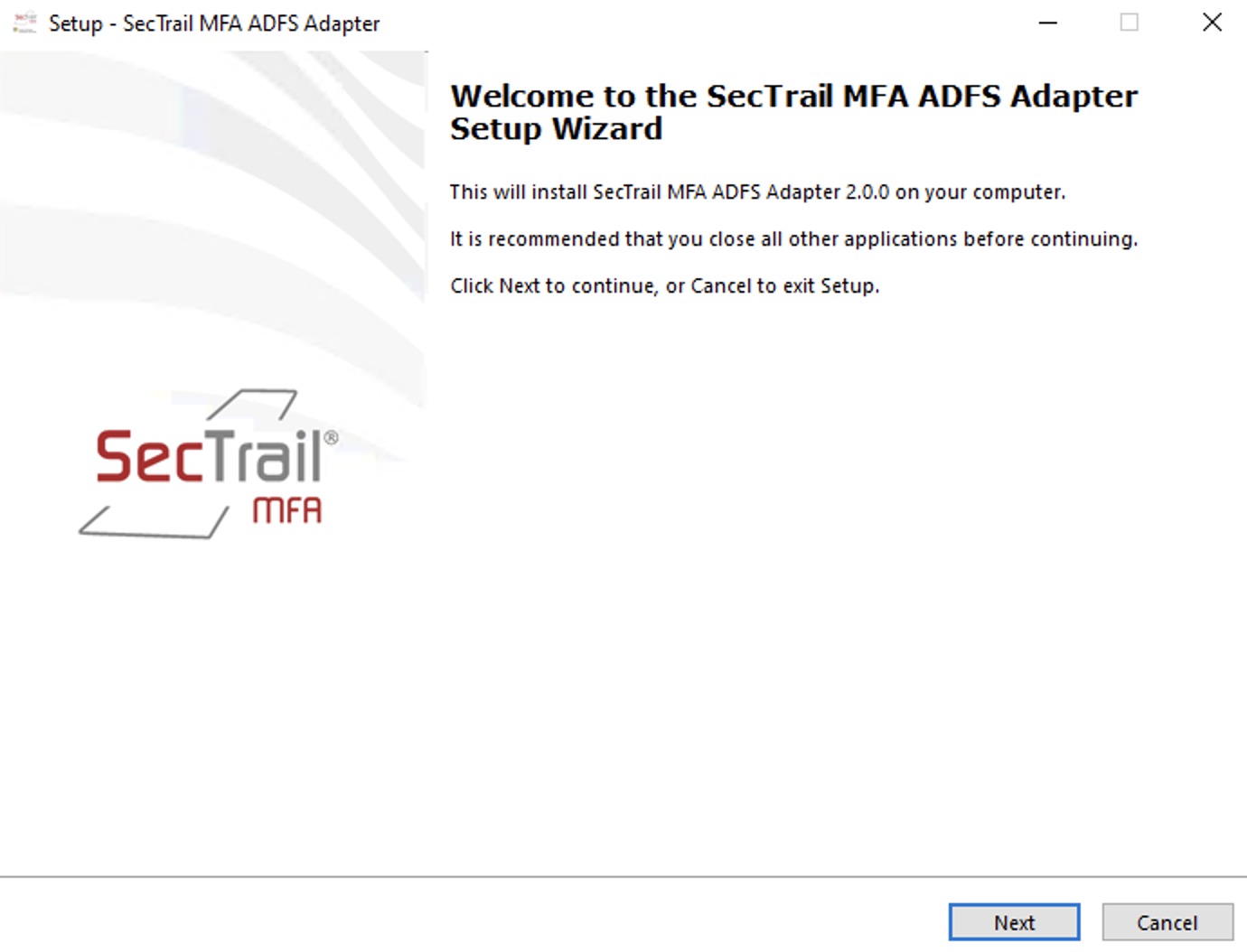
Start the SecTrail MFA ADFS Adapter 2.0.0 installation wizard. Click the **Next** button to continue.
2. Select Installation Location
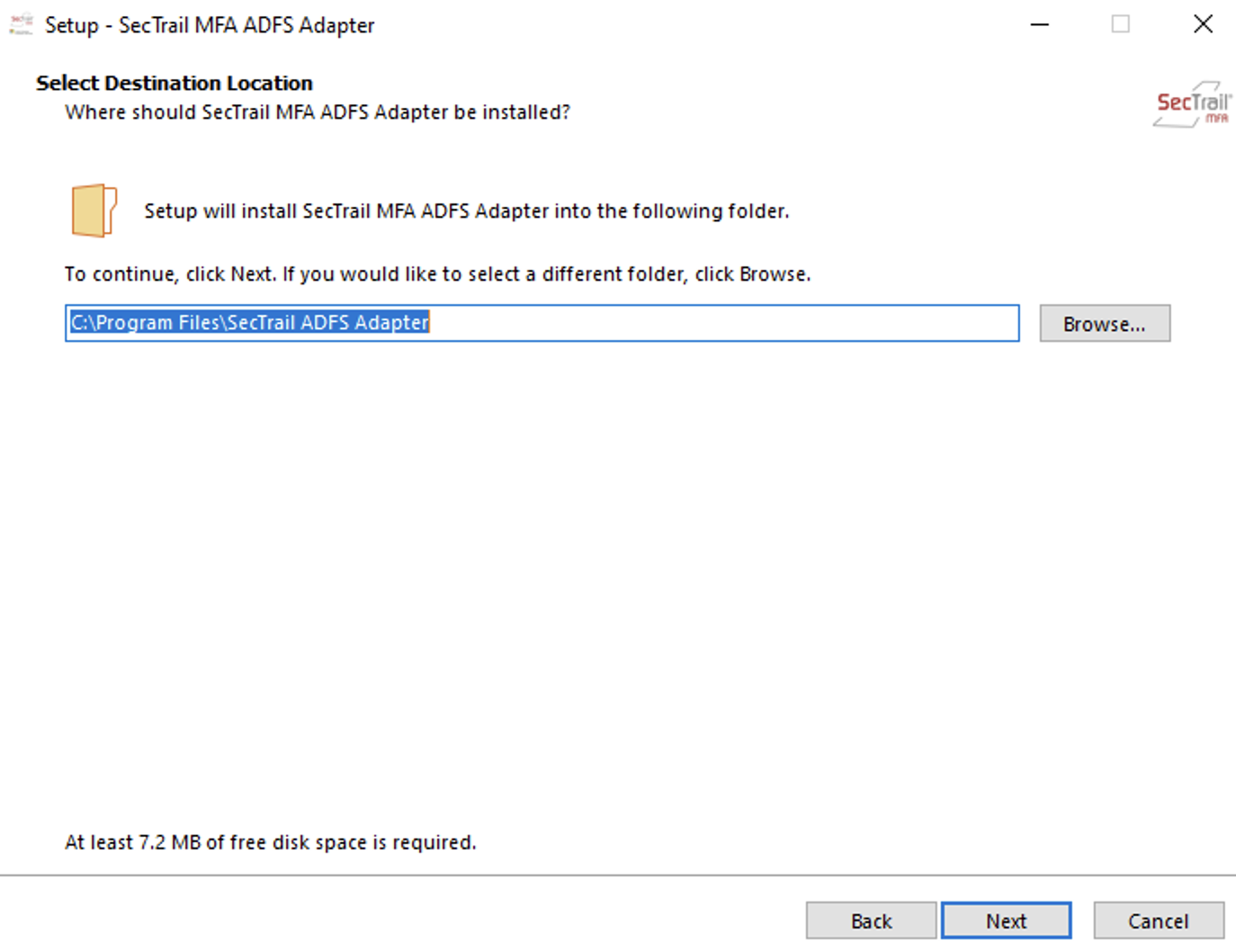
Select the location where the Adapter will be installed. The default location is set to C:\Program Files\SecTrail ADFS Adapter. A minimum of 7.2 MB of free disk space is required.
3. API Connection Information
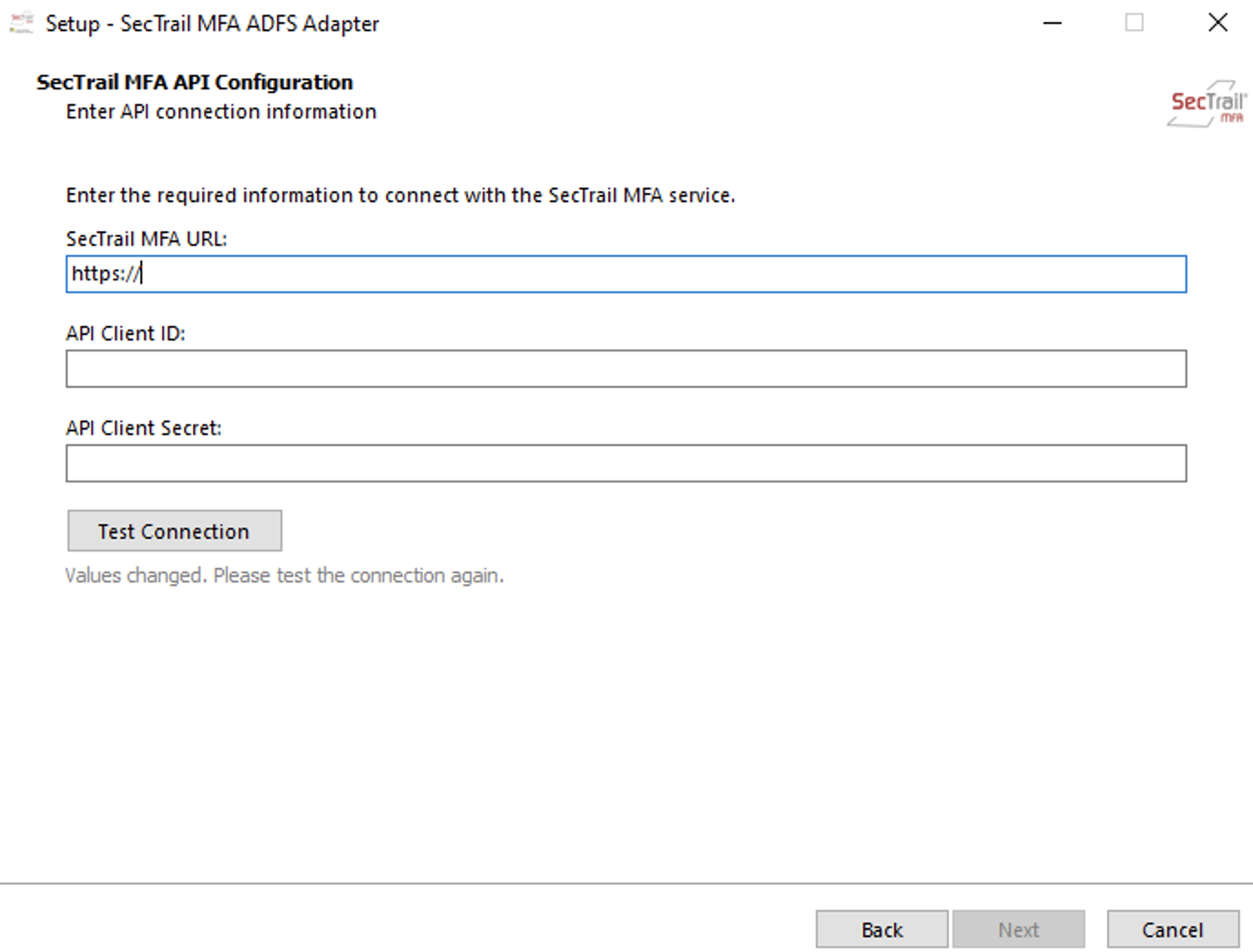
Enter the SecTrail MFA API connection information:
- **SecTrail MFA URL**: The HTTPS address of your SecTrail MFA server
- **API Client ID**: API Client credential
- **API Client Secret**: API Client secret key
Test the connection with the **Test Connection** button.
4. User Interface Settings
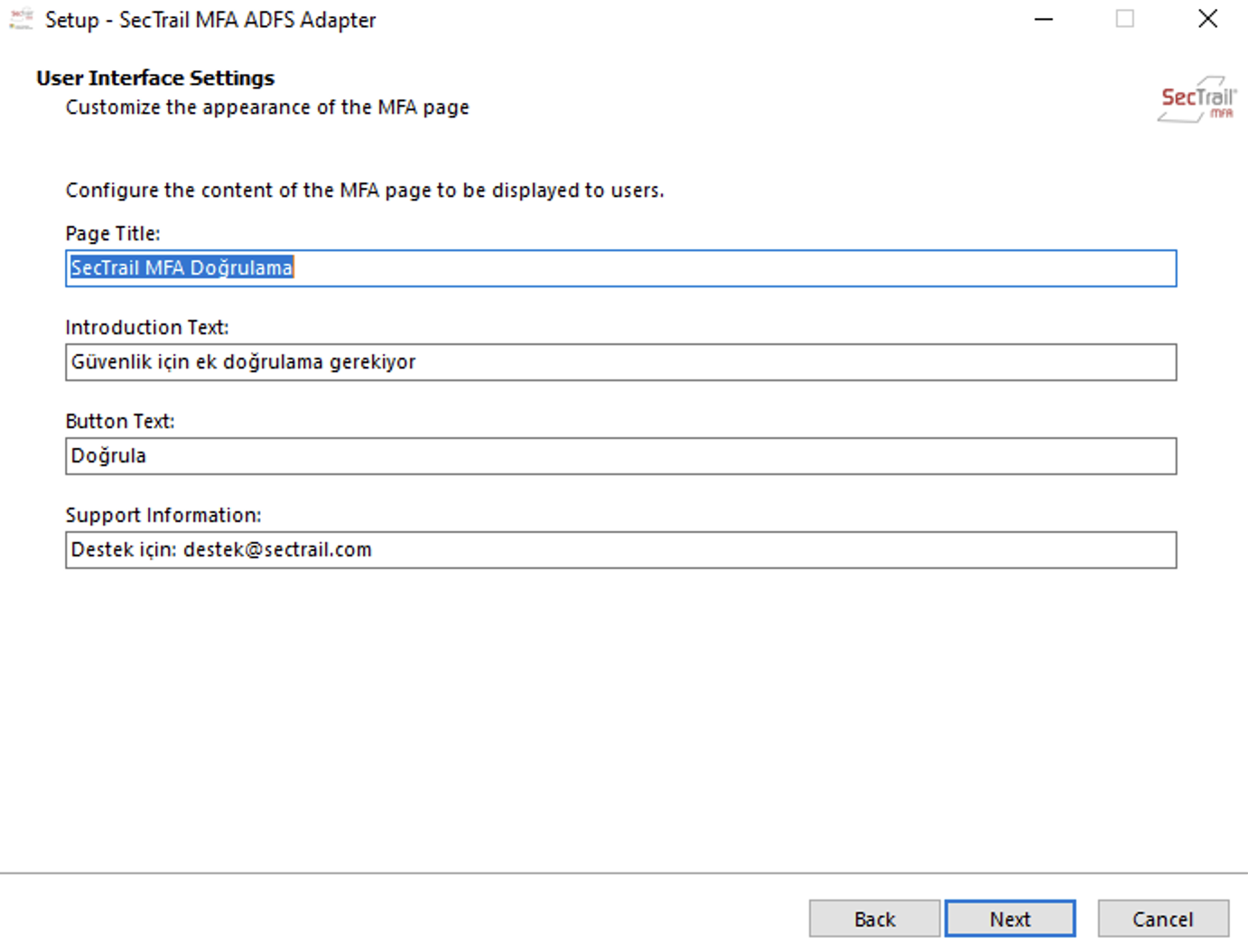
Customize the appearance of the MFA page:
- **Page Title**: Page title
- **Introduction Text**: Description text
- **Button Text**: Button text
- **Support Information**: Support information
5. Ready to Install
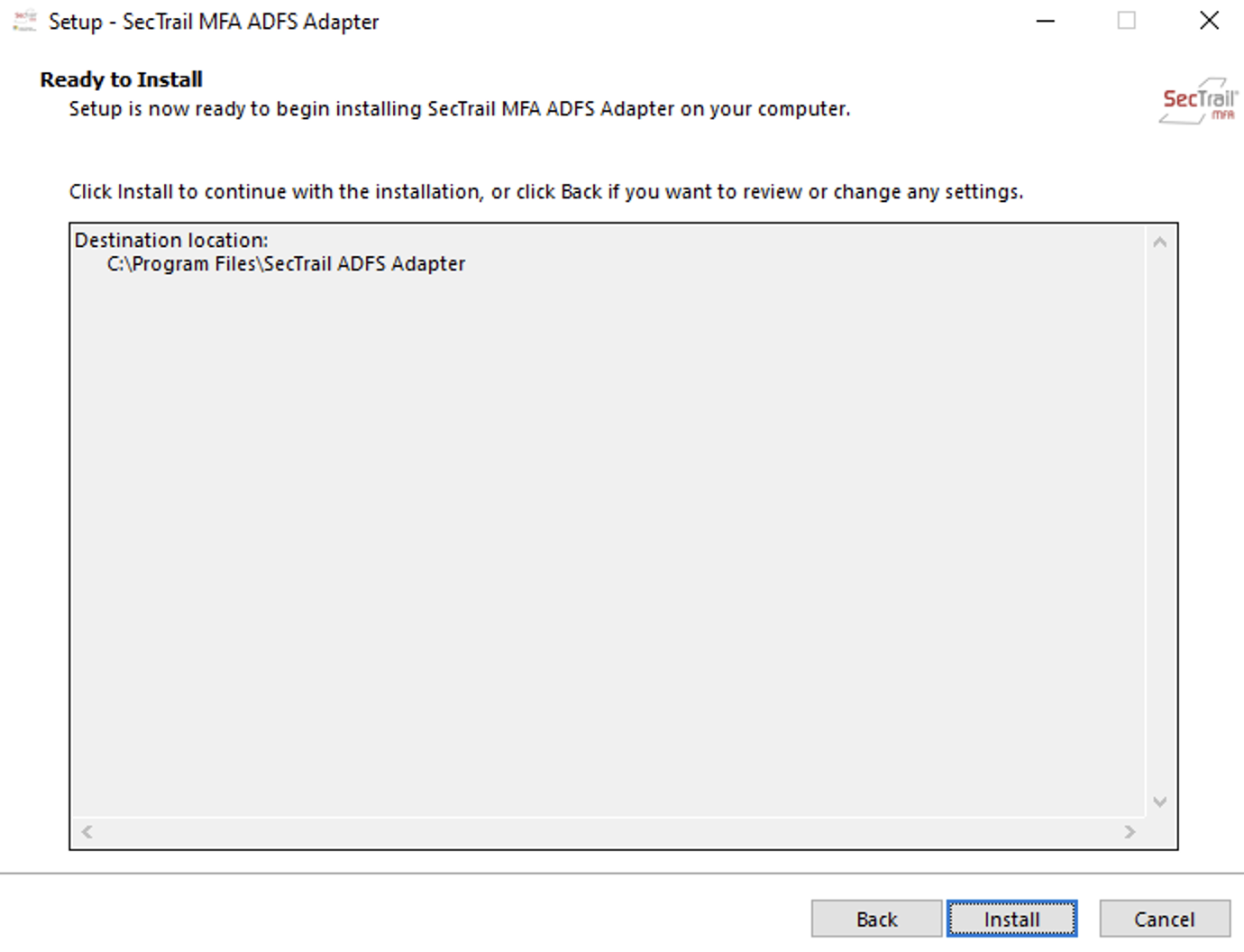
All settings are complete. Click the **Install** button to start the installation.
6. Installation Complete
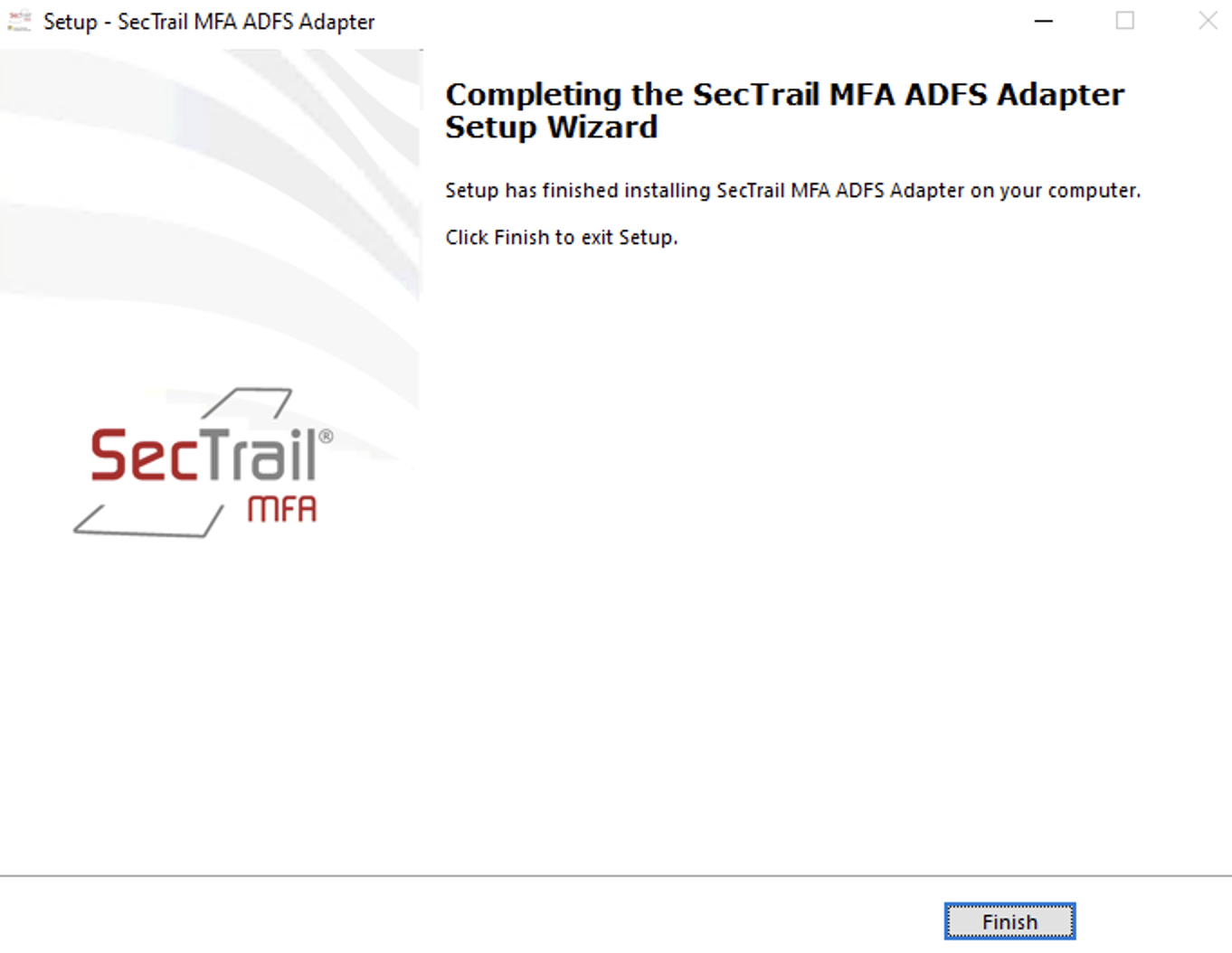
The SecTrail MFA ADFS Adapter has been successfully installed. Click the **Finish** button to close the installation wizard.
ADFS Configuration
7. Enabling the MFA Method
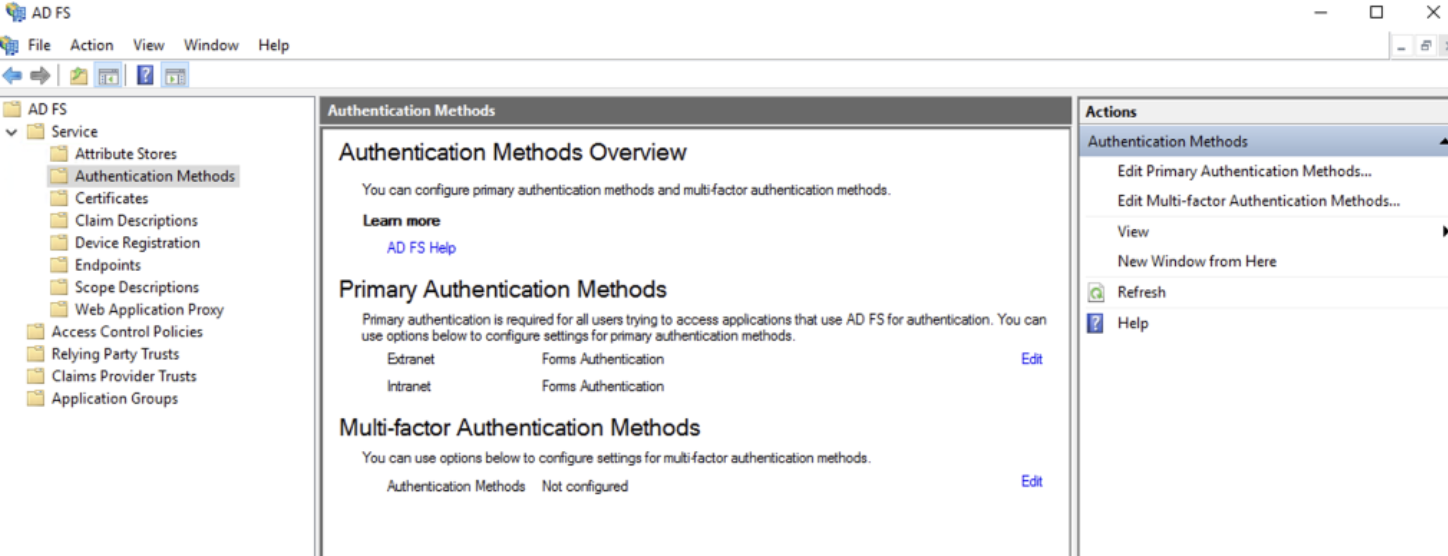
Open the ADFS Management Console and go to the **Authentication Methods** section:
- Select **Service > Authentication Methods** from the left menu
- Click the **Edit** link in the **Multi-factor Authentication Methods** section
- Select the SecTrail MFA Adapter as the MFA method
8. Relying Party Trust Configuration
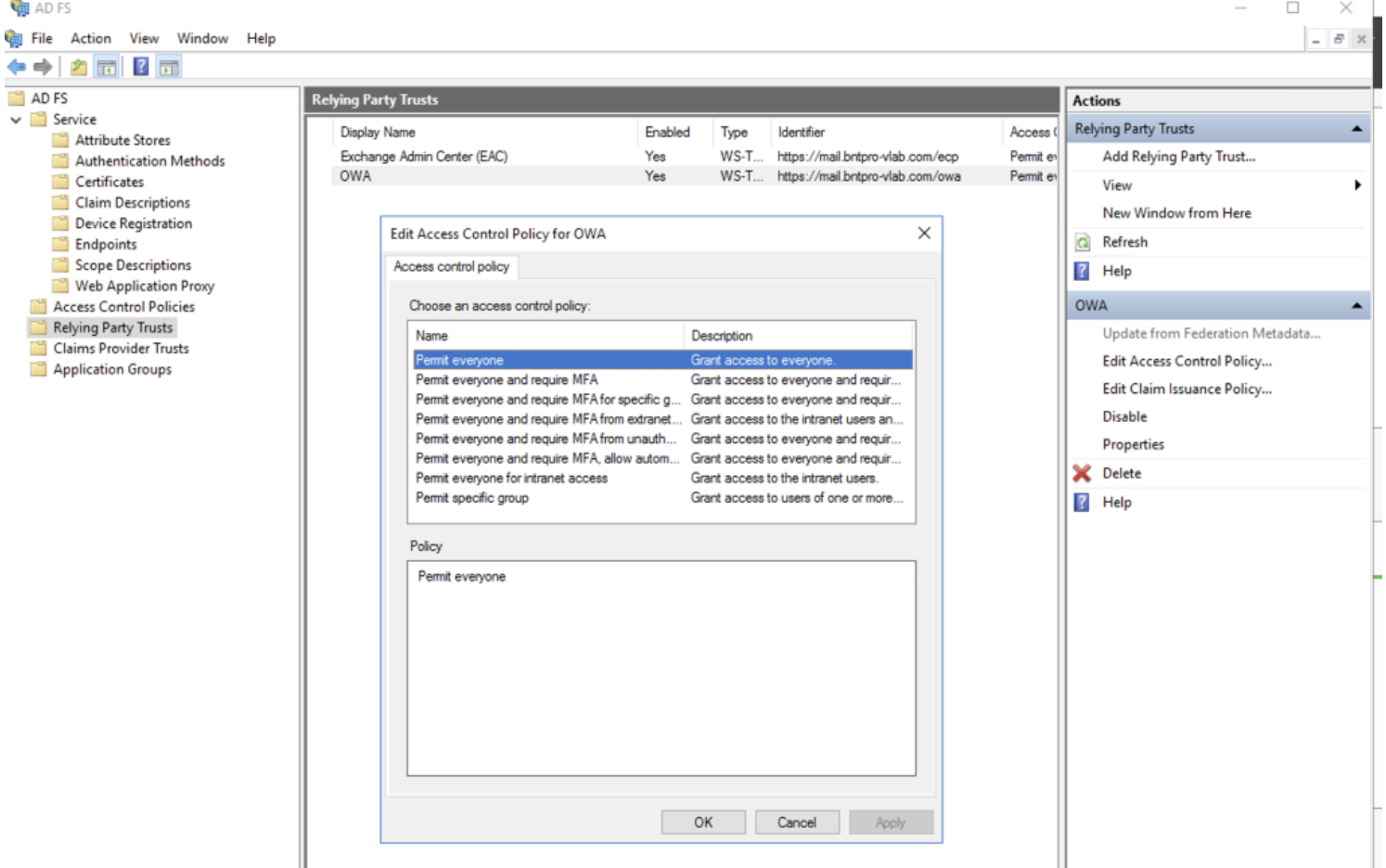
Apply MFA to your applications:
- Select the relevant application (e.g., OWA) in the **Relying Party Trusts** section
- Open the **Edit Access Control Policy** option
- Select a policy that requires MFA (e.g., "Permit everyone and require MFA")
- Save the changes with **Apply** and **OK**
After completing these steps, SecTrail MFA verification will be initiated during access to the applications you selected.
Supported Authentication Methods
Authentication methods that can be used in ADFS integration:
- LDAP Verification: Authentication with an Active Directory or LDAP server
- Local Verification: Authentication with SecTrail MFA's local user database
- LDAP+OTP: Two-factor authentication with password + OTP in a single screen
- Soft OTP: Time-based one-time password via mobile application (SecTrail Authenticator)
- SMS OTP: One-time password sent via SMS
- Mail OTP: One-time password sent via Email
- Push Notification Verification: Approval via push notification through the mobile application (SecTrail Authenticator)
- Approved OTP: Verification with pre-approved OTP codes
Benefits
- ✅ Centralized MFA: Single point MFA for all applications behind ADFS
- ✅ Exchange OWA Protection: Adding MFA to email access
- ✅ Seamless Integration: Works like ADFS's native MFA feature
- ✅ User Friendly: End-user experience is not affected