SSO Integration
SecTrail MFA can integrate with all web applications supporting SAML 2.0 and SSO. Thanks to Single Sign-On (SSO) integration, users can access multiple applications with a single login, and MFA protection is provided for every access.
SAML 2.0 Support
SecTrail MFA functions as a SAML 2.0 Identity Provider (IdP) and provides secure authentication to web applications.
IdP Configuration Steps
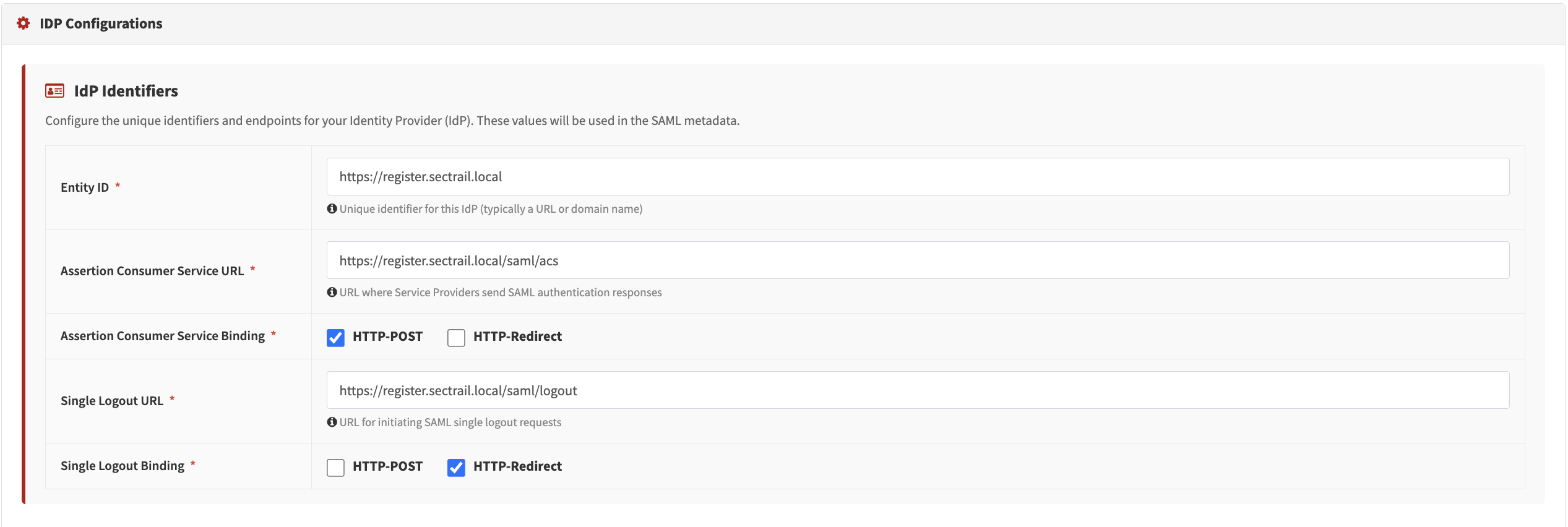
IdP Configuration - Entity ID, ACS/SLO URL, binding methods
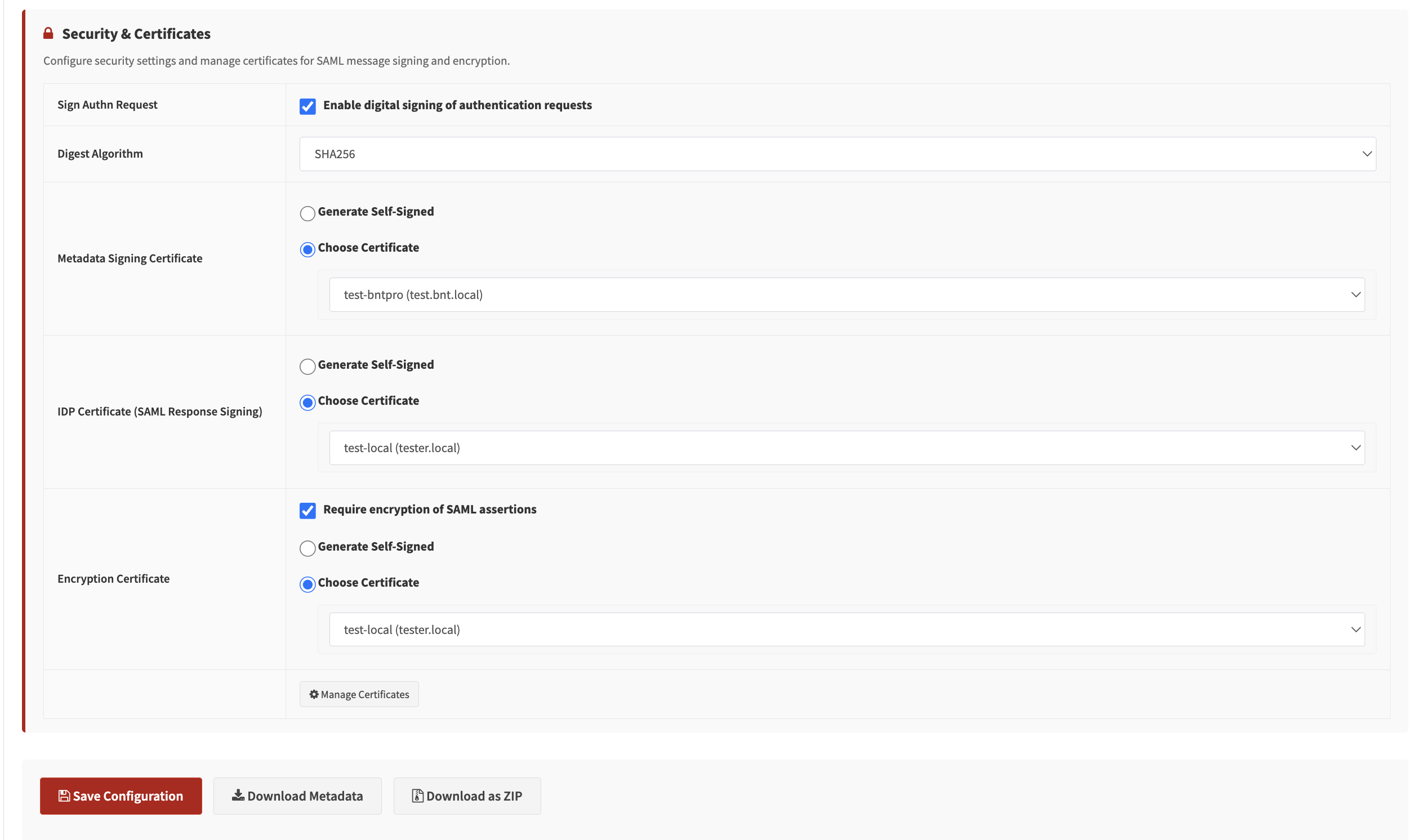
Certificate Settings - Signing and encryption certificate configuration
Supported Scenarios
- Web Applications: SSO access to corporate web applications
- Portal Systems: Corporate portals and intranet sites
- Custom Applications: Custom applications supporting SAML 2.0
Certificate Management
You can manage the digital certificates required for secure SSO integration in this section. The platform allows you to generate the certificates you need, import your existing corporate certificates, and download them for use in your configuration.
Three different certificates can be defined in the IdP configuration:
| Certificate | Purpose |
|---|---|
| Metadata Signing Certificate | Used to verify the integrity and origin of the IdP metadata file. |
| IDP Certificate (SAML Response Signing) | The certificate used to sign SAML responses from the Identity Provider (IdP). |
| Encryption Certificate | Used to encrypt sensitive data in SAML messages. |
IDP Certificate Settings - Generate or import, download the generated certificate
For detailed configuration steps, see the User Guide - Federation page.
Key Features
🔐 IdP-Initiated and SP-Initiated Flow
- IdP-Initiated: The user accesses the application through the SecTrail MFA portal
- SP-Initiated: The user goes directly to the application, and is redirected to SecTrail MFA
🔄 Session Management
- Management of SSO session duration
- Single Logout (SLO) support
- Viewing users' active SSO sessions
SSO Session Management
Viewing User's Own SSO Sessions
Users can view their own active SSO sessions by logging into the Registration Panel:
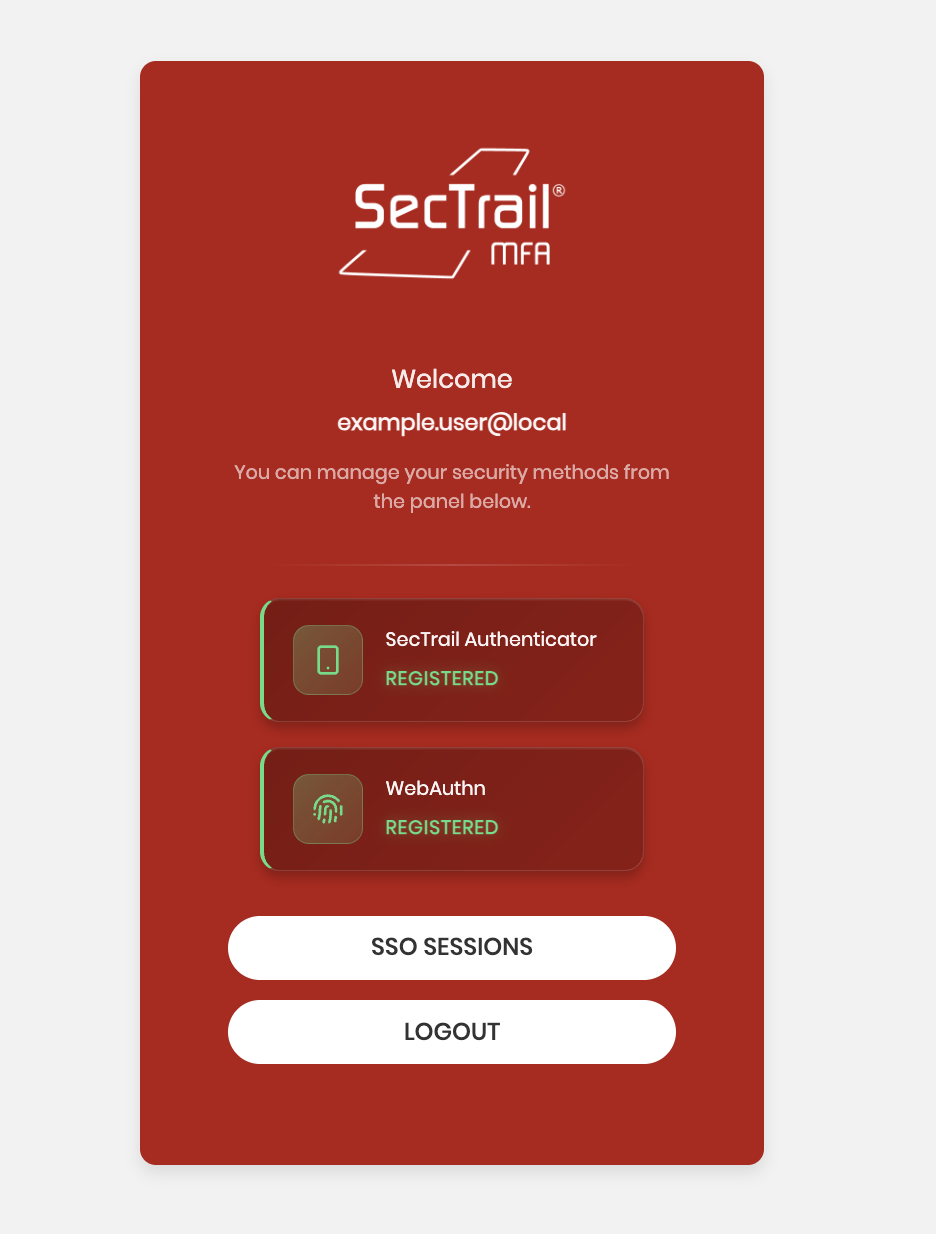
Users can view their active sessions and terminate any session they want:
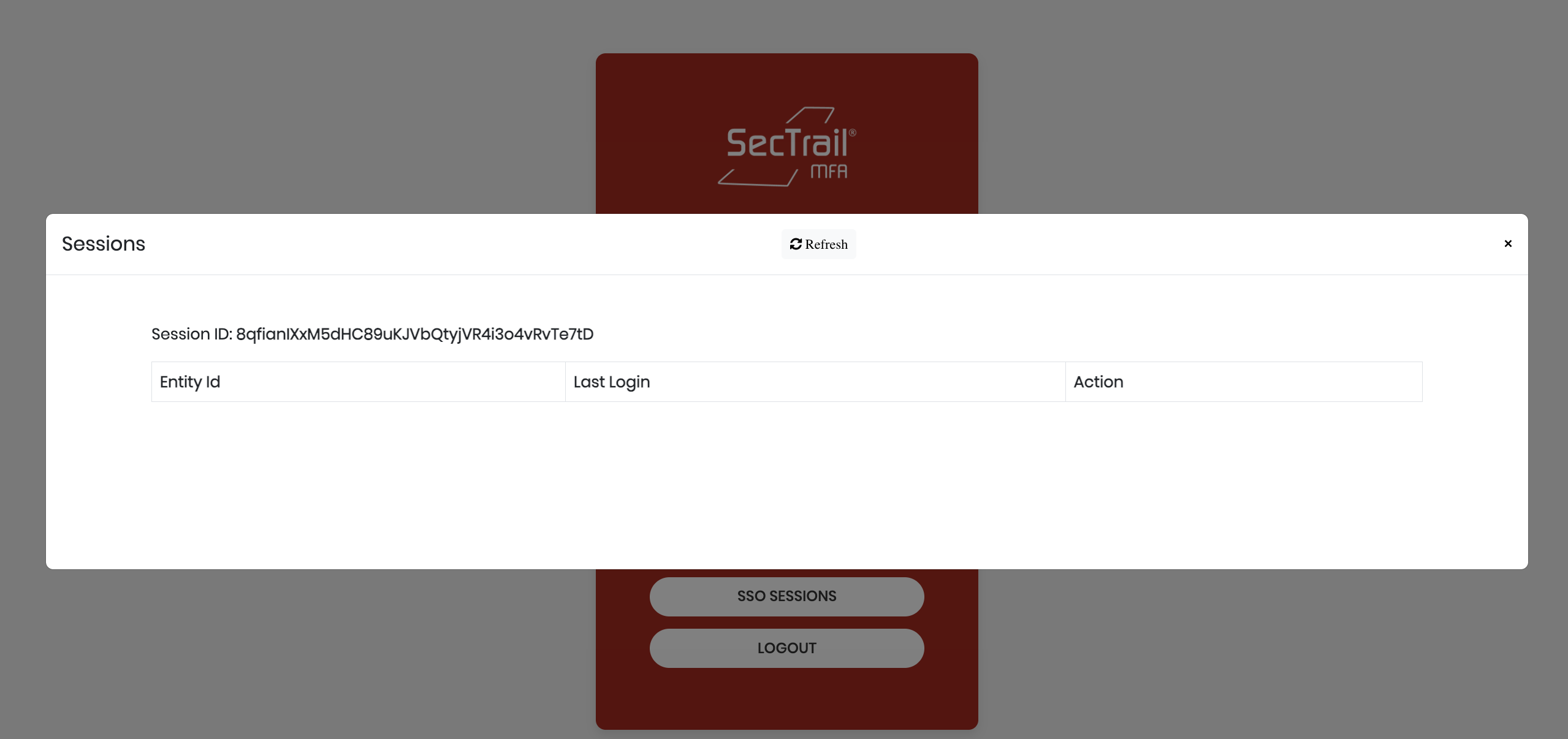
Session Information:
When users view their own SSO sessions from the registration panel, they can see the following information:
- Session ID: Unique session identifier (e.g.,
8qfianiXxM5dHC89uKJVbQtyjVR4i3o4vRvTs7tD) - Entity ID: Identity of the application accessed via SSO
- Last Login: Most recent login time
In the admin panel, all users' sessions are displayed with the following information:
- Session ID: Unique session identifier
- User: Username (e.g.,
example.user@local) - IP Address: IP address from which the login was made (e.g.,
10.34.12.62) - Last Activity: Last activity time (e.g.,
2025-12-04 14:45:46) - Actions: Session termination button
Managing All SSO Sessions (Admin Panel)
Administrators can view and manage all users' SSO sessions through the Admin Panel:
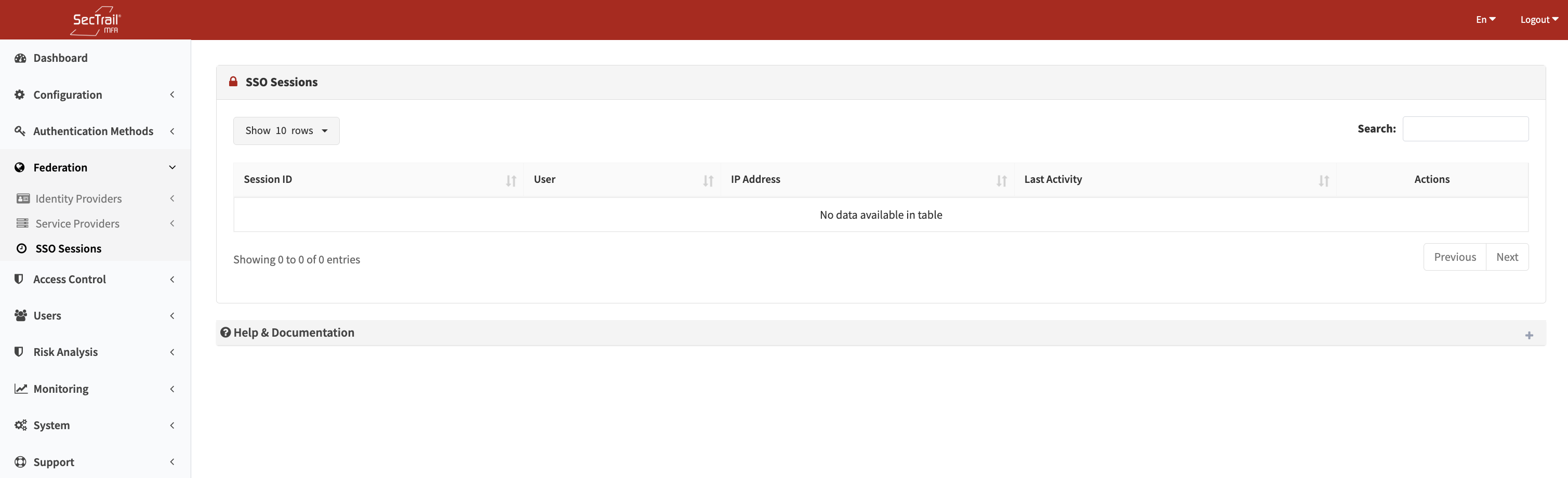
Administrator Actions:
- List all active SSO sessions
- Filter by user
- Filter by application
- Terminate a specific session
- Bulk session termination
- View session history
When users see a suspicious session (an IP or device they don't recognize), they can immediately terminate it. This feature is an important protection layer for account security.
Configuration
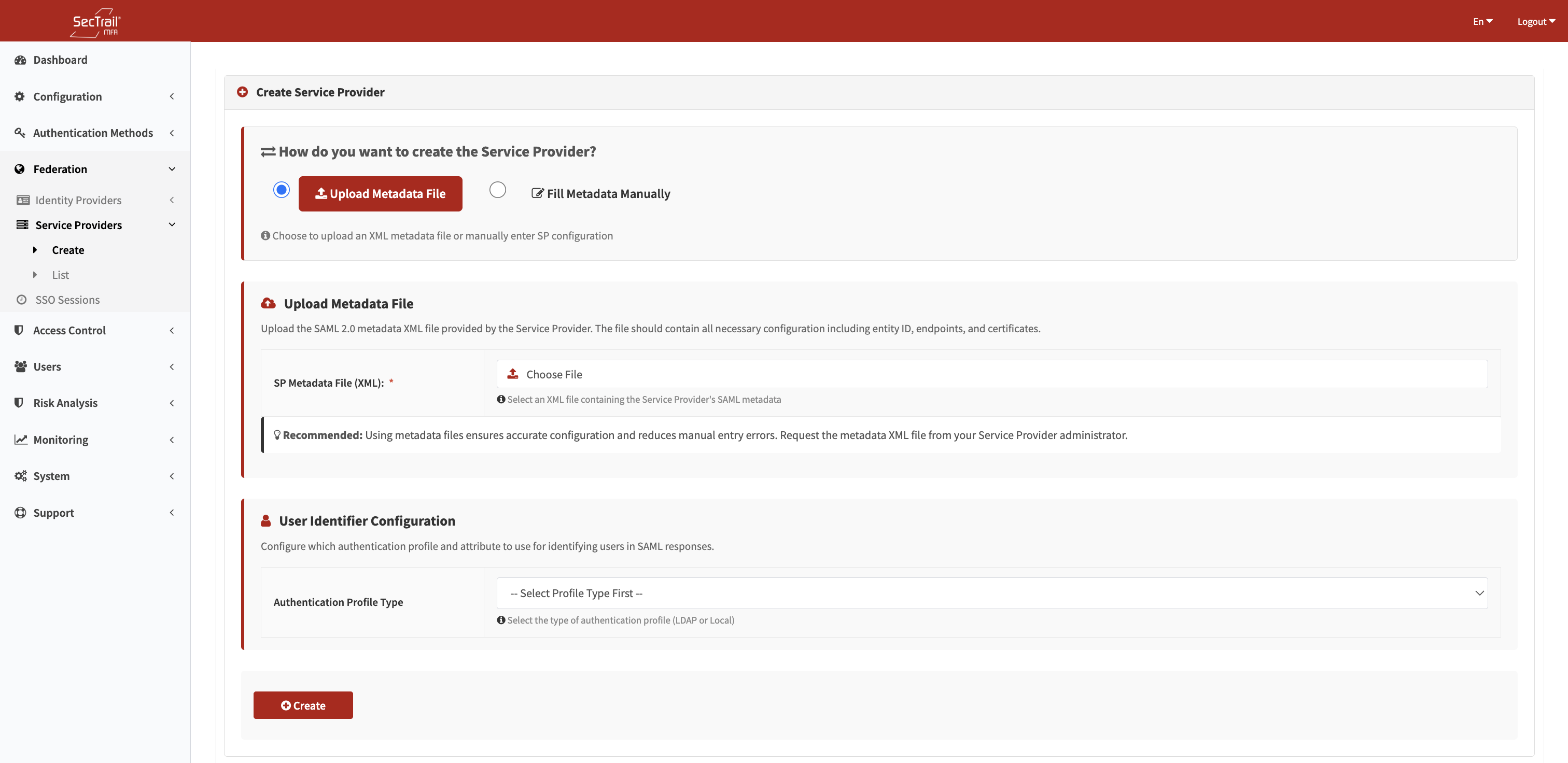
SP Manual Entry - Entity ID, ACS URL, certificate, and binding configuration
1. Service Provider (SP) Definition
You need to define a new SAML Service Provider in SecTrail MFA:
- Entity ID: The unique identifier of the application
- ACS URL: Assertion Consumer Service URL
- Binding: HTTP-POST or HTTP-Redirect
- NameID Format: Email, persistent, transient, etc.
2. Metadata Exchange
SecTrail MFA provides the SAML metadata file:
- Automatic configuration via the IdP metadata URL
- Manual metadata import/export
3. MFA Policies
You can define different MFA policies for each SAML application:
- Which factors will be used
- Different policies based on user groups
- Risk-based adaptive authentication
Supported Authentication Methods
Authentication methods that can be used in SSO integration:
- LDAP Verification: Authentication with an Active Directory or LDAP server
- Local Verification: Authentication with SecTrail MFA's local user database
- LDAP+OTP: Two-factor authentication with password + OTP in a single screen
- Soft OTP: Time-based one-time password via mobile application (SecTrail Authenticator)
- SMS OTP: One-time password sent via SMS
- Mail OTP: One-time password sent via Email
- Push Notification Verification: Approval via push notification through the mobile application (SecTrail Authenticator)
- Approved OTP: Verification with pre-approved OTP codes
- Mail Link Approval: Approval via a link sent through email
- QR Login (Passwordless): Passwordless login by scanning a QR code with the mobile application
- WebAuthn (FIDO2 hardware keys): Secure login with FIDO2 compliant hardware keys
For SAML integration, your application must support the SAML 2.0 Service Provider (SP) role.