Agent Downloads
The Agent Downloads page provides platform-specific integration agents that connect Windows, Linux, and macOS systems to SecTrail MFA. Each agent enables MFA authentication for a specific platform scenario — ADFS federation, Windows RDP/workstation login, Linux SSH, or macOS login.
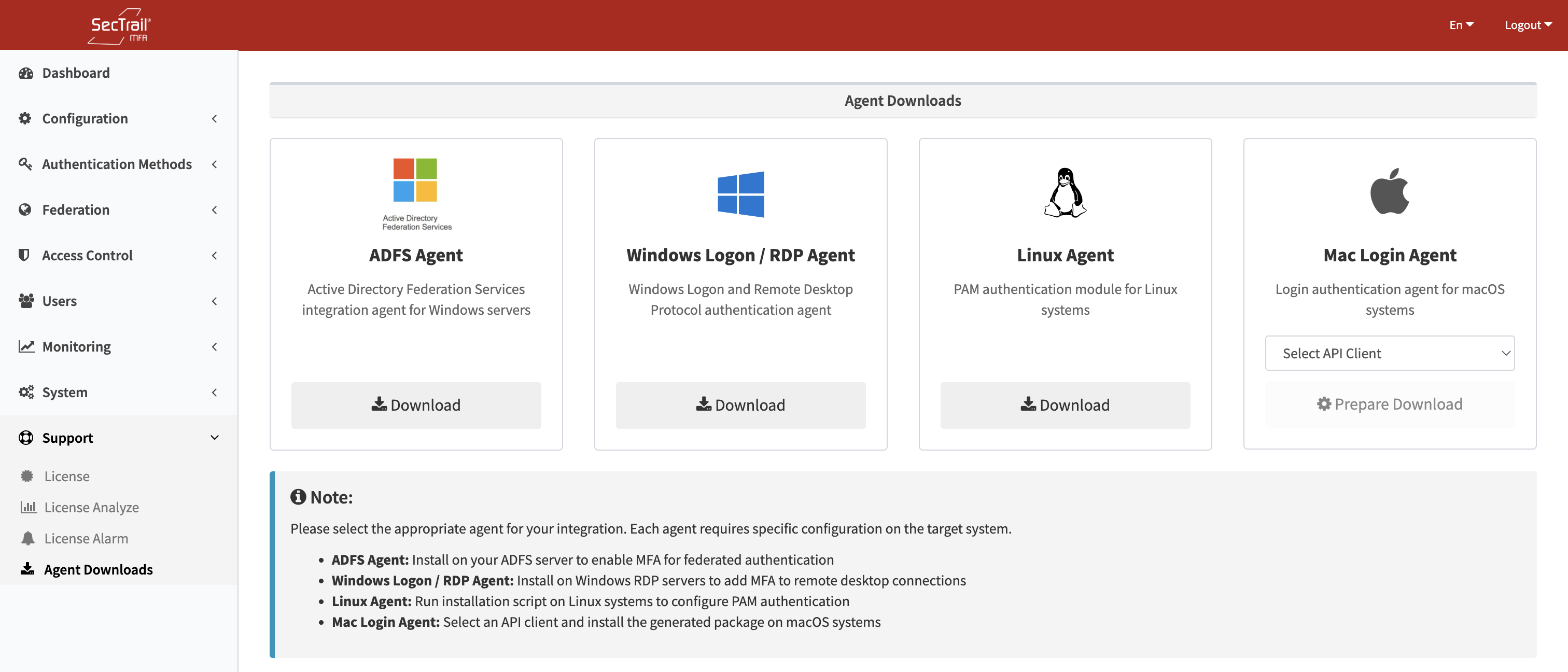
Agent Downloads — Platform-specific integration packages for Windows, Linux, and macOS
Accessing Agent Downloads
Go to System → Agent Downloads in the admin panel.
Available Agents
Windows ADFS Adapter
| Property | Value |
|---|---|
| File | SecTrail-MFA-ADFS-Adapter-x64-v2.0.exe |
| Platform | Windows Server (Active Directory Federation Services) |
| Architecture | 64-bit |
Integrates SecTrail MFA as an additional authentication factor in ADFS authentication flows. After installation, ADFS forwards authentication requests to SecTrail MFA for MFA verification before issuing tokens.
For configuration details, see the ADFS Integration guide.
Windows RDP / Credential Provider
| Property | Value |
|---|---|
| File | SecTrail-Credential-Provider-x64-v2.0.exe |
| Platform | Windows workstations and servers (RDP, local login, screen unlock) |
| Architecture | 64-bit |
Installs a Windows Credential Provider that intercepts login, RDP, and screen unlock events and requires MFA verification through SecTrail before granting access.
For configuration details, see the Windows Login Integration guide.
Linux Multi-Installer
| Property | Value |
|---|---|
| File | sectrail-mfa-installer-multi.sh |
| Platform | Linux (various distributions) |
| Type | Shell script |
A multi-distribution installer script that configures PAM (Pluggable Authentication Modules) on Linux systems to enforce MFA for SSH and console login. Supports common Linux distributions.
For configuration details, see the Linux SSH Integration guide.
macOS Login Agent (PKG)
| Property | Value |
|---|---|
| File | SecTrailMFA-Installer.pkg (built on demand) |
| Platform | macOS |
| Type | macOS PKG installer |
The macOS agent is built dynamically with your SecTrail MFA server URL and API credentials embedded in the package. This means each download is specific to your installation — you must select an API client before downloading.
How to Download the macOS Agent
- On the macOS Agent card, click the API Client dropdown
- Select the OAuth API client the macOS agent will use to communicate with SecTrail MFA
- Click Download — the package is built on the server and downloaded automatically
The PKG installer configures the macOS authorization framework to require MFA verification at login.
For configuration details, see the Mac Login Integration guide.
API Clients
Agent Downloads also shows the list of available API clients and API users configured in the system. These are used to authorize agents when they communicate with the SecTrail MFA API.
To create or manage API clients, go to Configuration → API Clients.
Important Considerations
- All agents communicate with SecTrail MFA over HTTPS — ensure the SecTrail MFA panel is accessible from the machines where agents are installed, and that a valid SSL certificate is in place.
- The macOS PKG is built fresh on every download request. If the server URL or API credentials change, download a new PKG and reinstall on affected machines.
- Agent binaries should be distributed through your organization's software deployment tools (SCCM, Intune, Ansible, etc.) rather than manually installed on each machine.
- Always verify the downloaded file's integrity before deployment, especially in production environments.