CyberArk
SecTrail CM integrates with CyberArk to provide two core capabilities: dynamically reading user passwords from the CyberArk vault when connecting to target systems, and securely storing certificates in the CyberArk vault. This way, passwords are not stored statically in SecTrail CM; they are retrieved from CyberArk at the moment of each operation.
Connection Requirements
| Requirement | Detail | Description |
|---|---|---|
| Protocol | HTTPS | CyberArk API is used |
| Authentication | Username / Password | Authentication with a CyberArk user |
| User Permission | Vault read permission | Access to the relevant safes/vaults |
| PACLI (optional) | PACLI access | PACLI interface for password retrieval (optional) |
Core Capabilities
1. Dynamic Password Retrieval
When SecTrail CM performs a certificate deployment or certificate retrieval operation on a target system (load balancer, firewall, web/app server, etc.), it fetches that system's user password on demand from the CyberArk vault. As a result:
- Passwords are never stored statically (in plain or encrypted form) within SecTrail CM.
- When password rotation is performed on the CyberArk side, integrations always use the current password without requiring any updates.
- All password access is centrally audited and logged in CyberArk.
2. Certificate Storage
SecTrail CM can store managed certificates in the CyberArk vault. Certificates are kept in a central and secure safe, managed in compliance with enterprise PAM policies, with access control enforced on the CyberArk side.
Configuration Steps
1. Add CyberArk Profile
Navigate to Integrations > CyberArk and click the Create button:
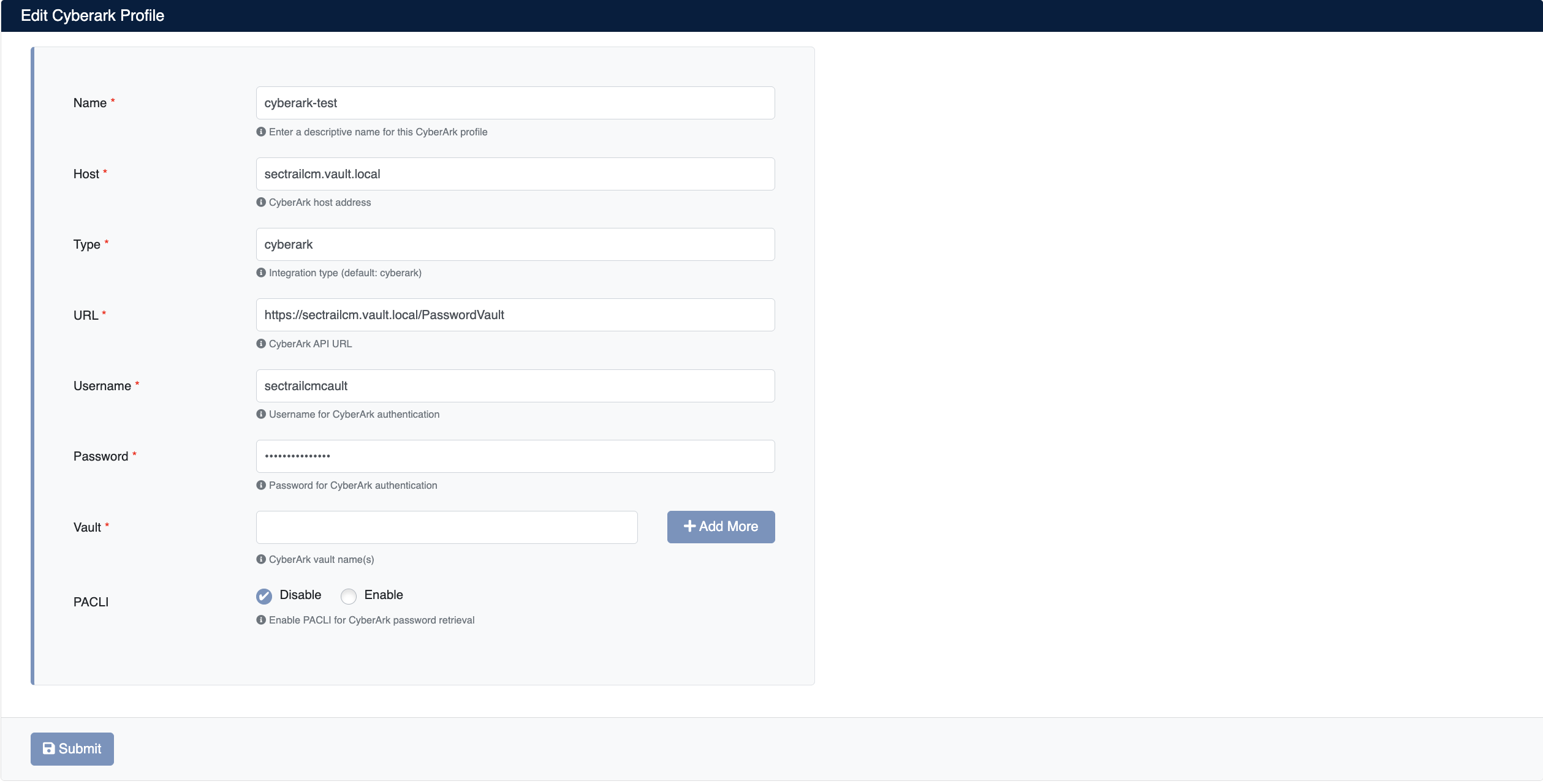
Enter the following information:
- Name: A descriptive name for this CyberArk profile
- Host: The host address of the CyberArk server
- Type: Integration type (default:
cyberark) - URL: CyberArk API URL (e.g.
https://sectrailcm.vault.local/PasswordVault) - Username: Username for CyberArk authentication
- Password: Password for CyberArk authentication
- Vault: CyberArk vault (safe) name(s). Use the Add More button to add multiple vaults.
- PACLI: Use of PACLI for CyberArk password retrieval (Enable/Disable)
Click the Submit button to save the profile.
PACLI is CyberArk's command-line interface. If you want password retrieval to be performed via PACLI, set this option to Enable. If your environment allows password retrieval through the standard CyberArk API, you can leave it as Disable.
2. View CyberArk Profiles
After adding a profile, it will be displayed in the Integrations > CyberArk list:
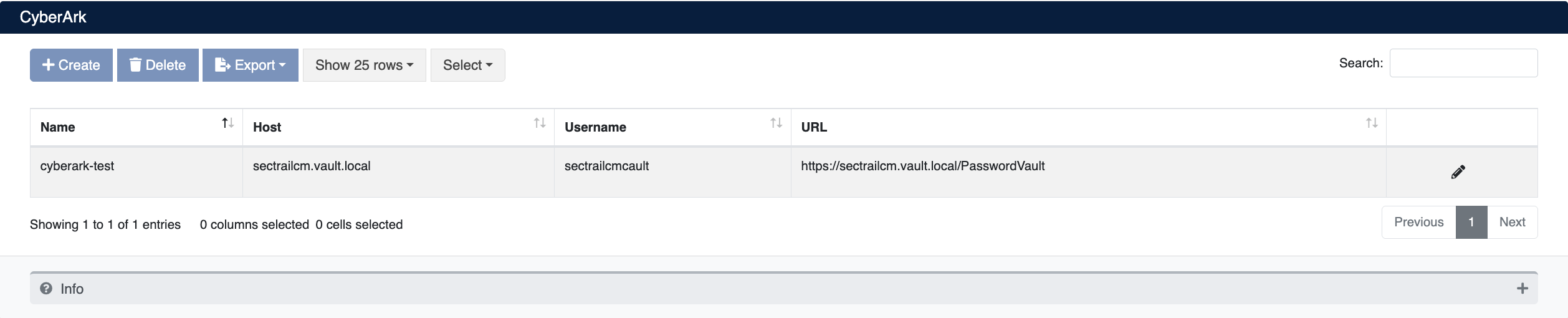
The list screen displays the following information:
- Name: Profile name
- Host: CyberArk server address
- Username: Username used for authentication
- URL: CyberArk API address
Profile Operations
The following operations can be performed for each profile:
- Edit: Edit profile settings (pencil icon at the end of the row)
- Delete: Delete the profile
- Export: Export the profile list
Thanks to the CyberArk integration, target system passwords are read dynamically from the CyberArk vault instead of being stored in SecTrail CM. When password rotation is performed on the CyberArk side, integrations continue to work without requiring any changes.